

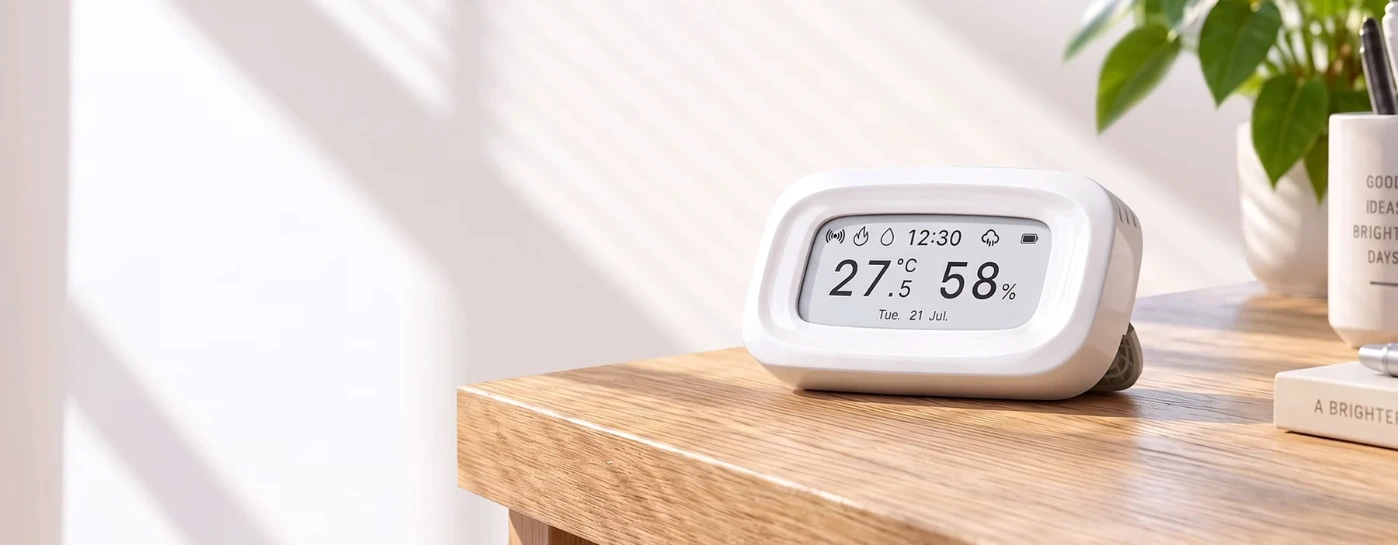
Paper-Like Clarity,
Smarter Living
E-Ink Zigbee Temperature Humidity Sensor — SNZB-02UL
*Requires a Zigbee hub

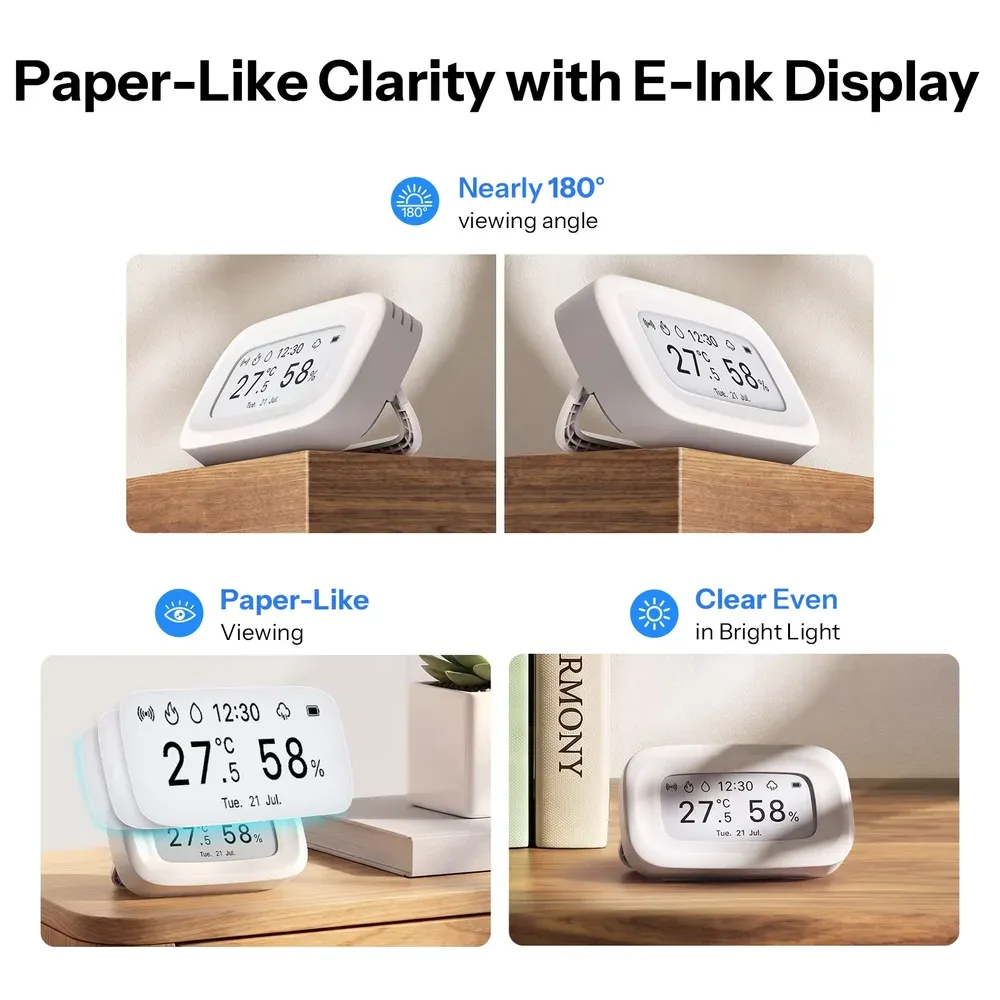
Paper-Like Clarity with E-Ink Display
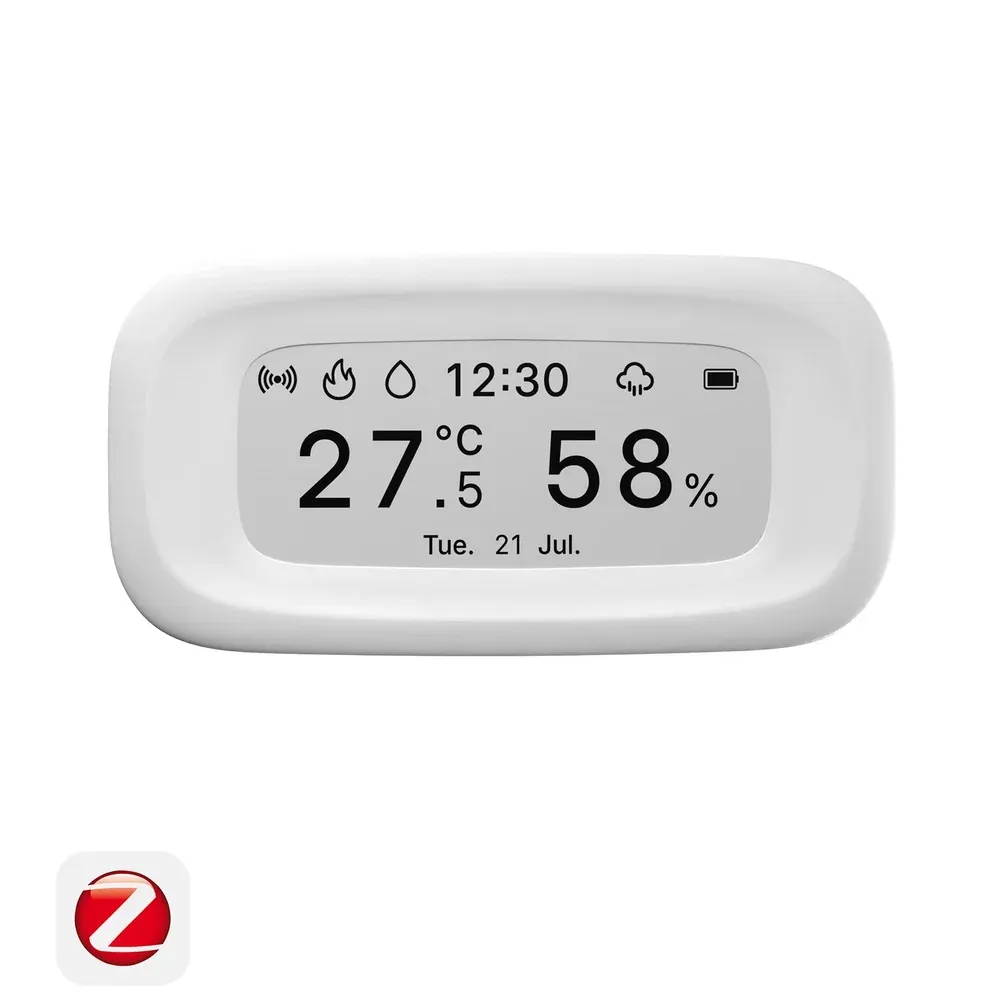
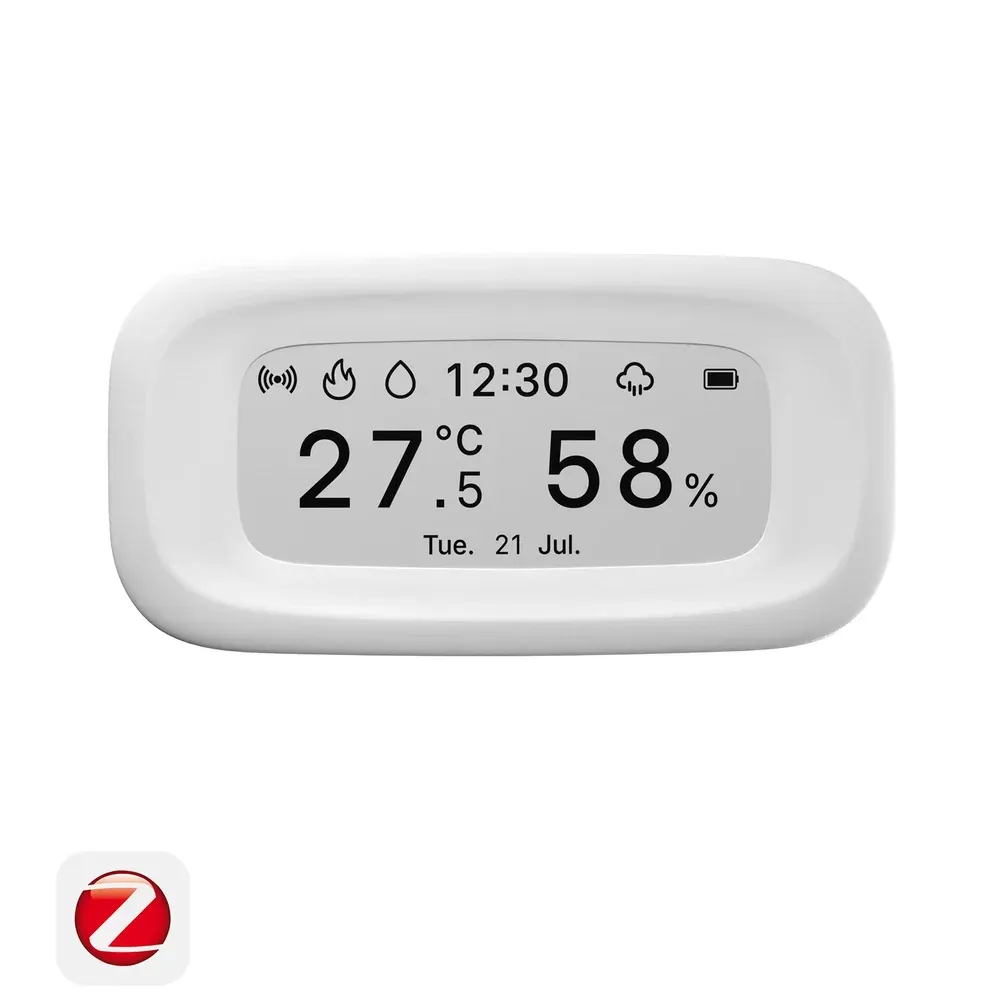
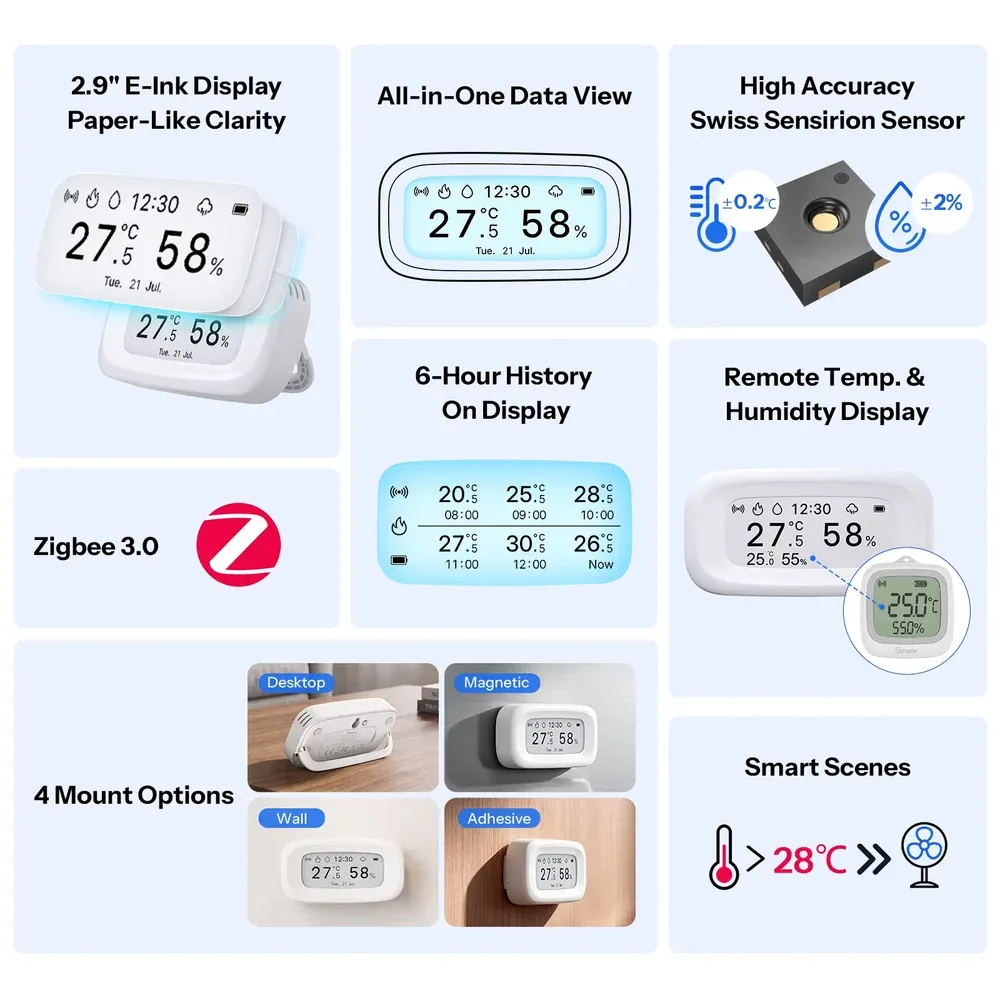
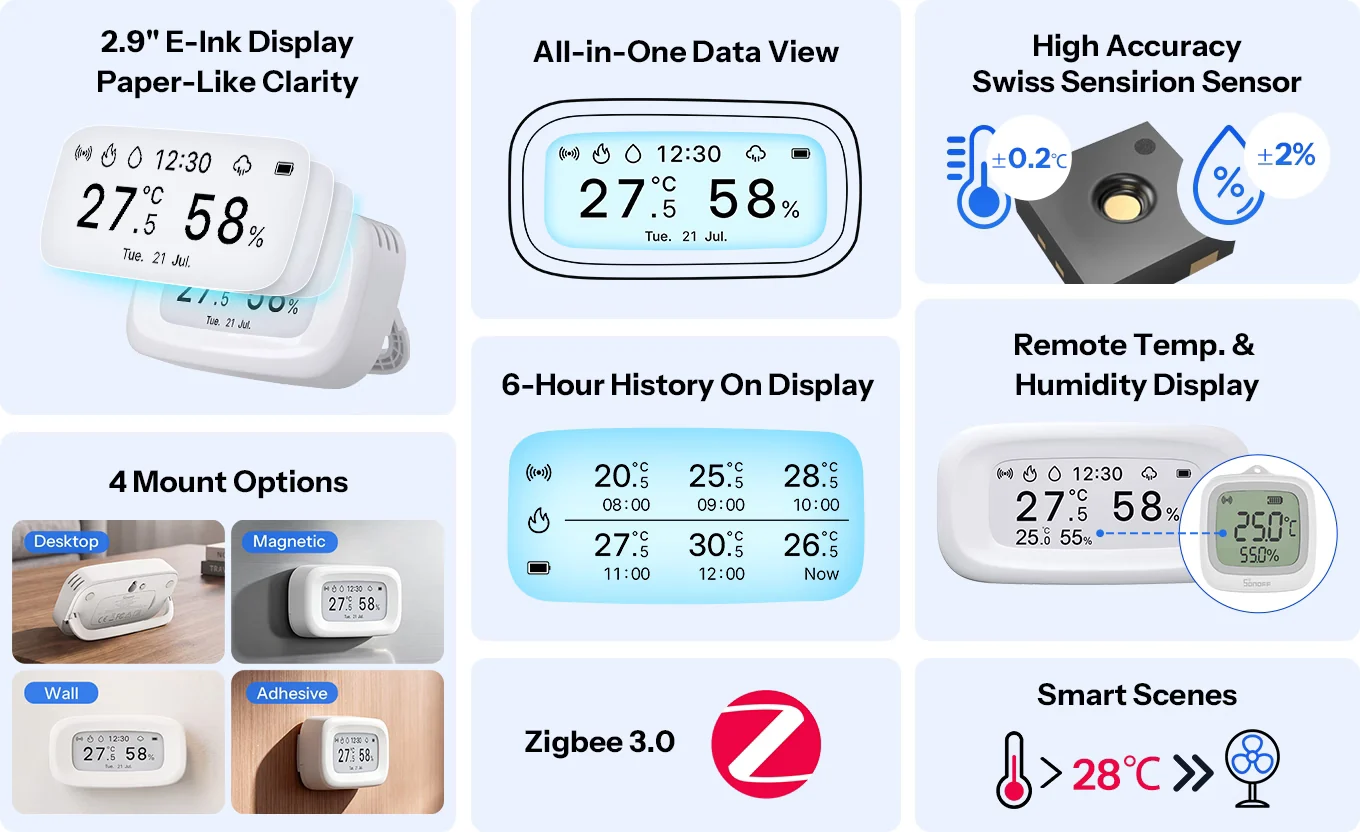
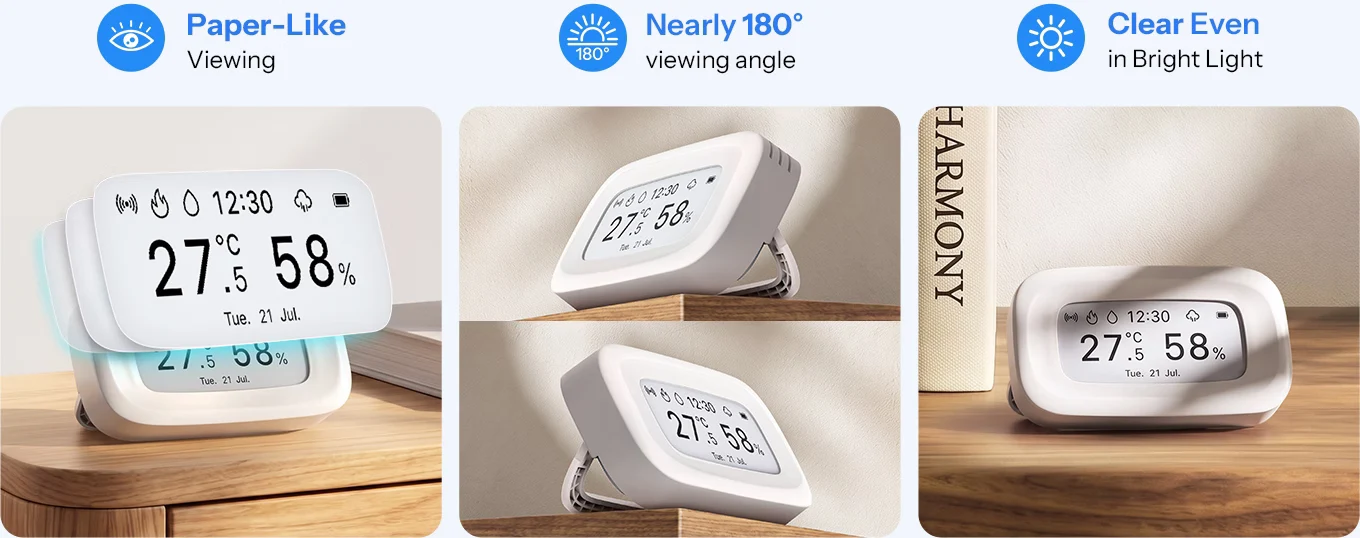
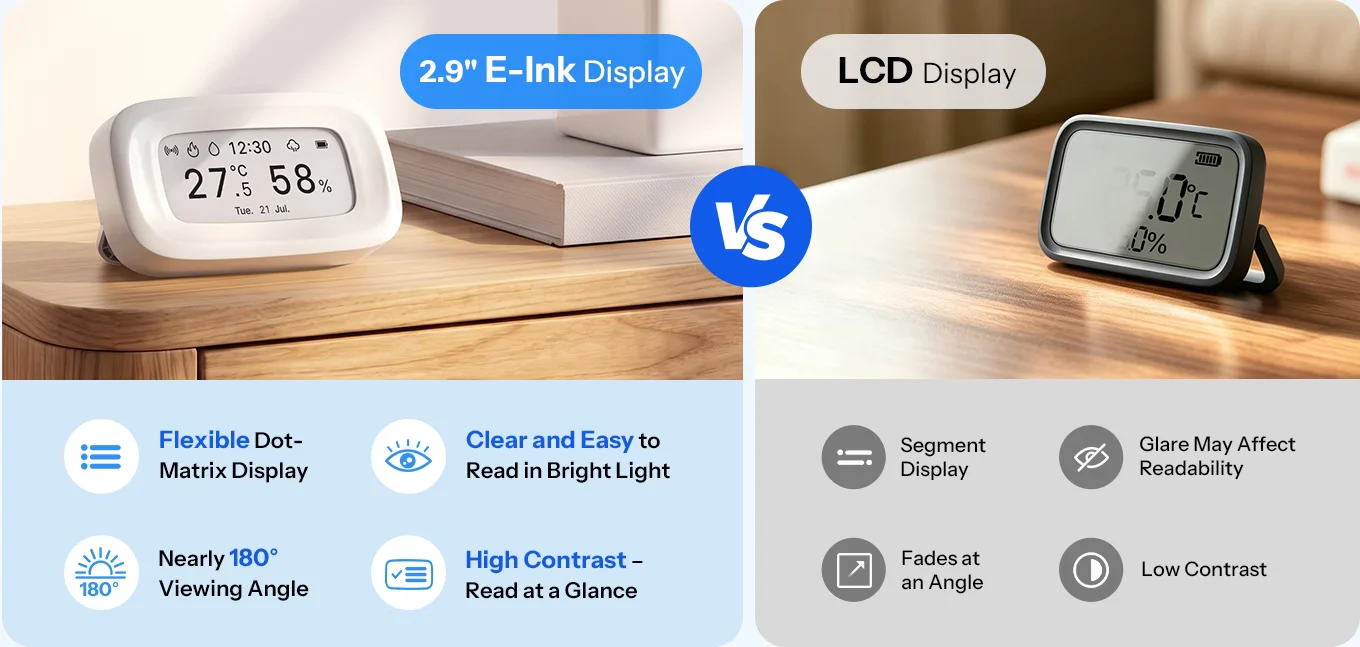
Equipped with a 2.9" E-Ink display, it delivers a paper-like viewing experience with
clear readability from different angles—even in bright light.
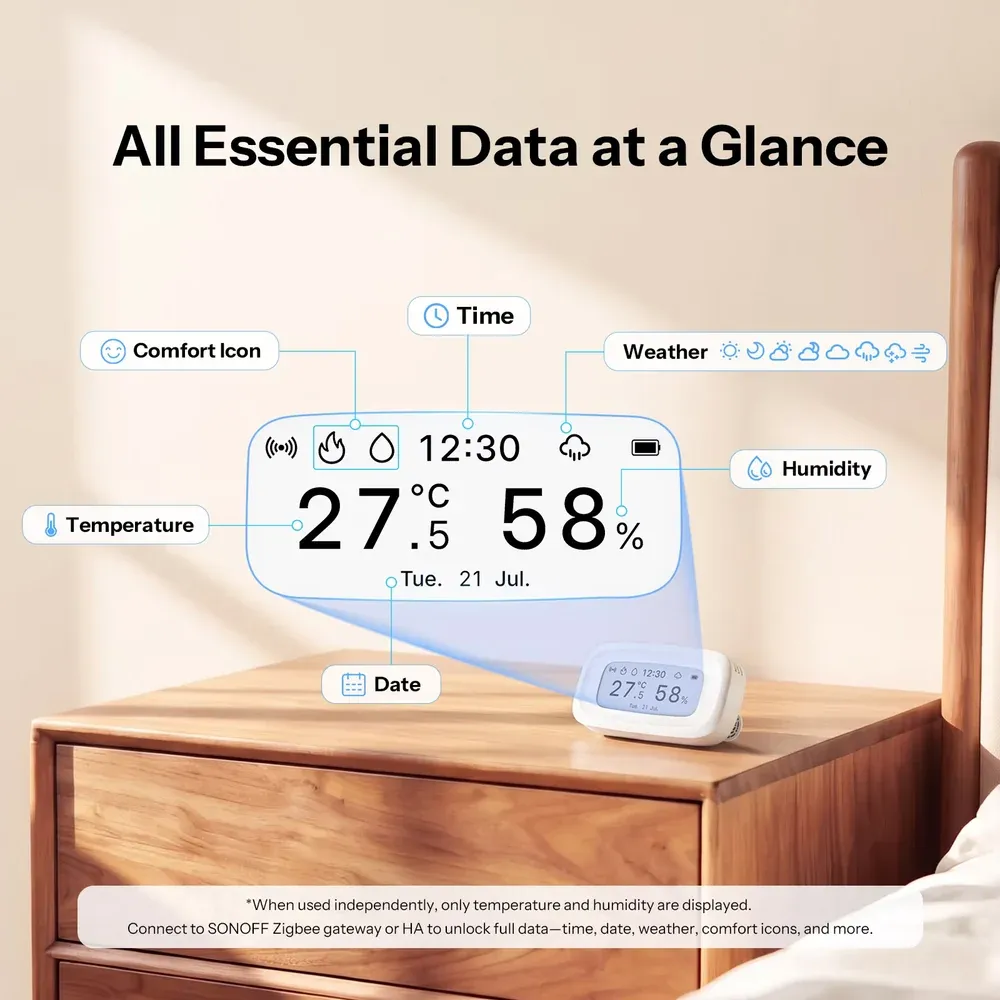
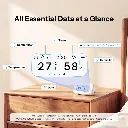
All Essential Data at a Glance
Powered by a flexible dot-matrix E-Ink display, SNZB-02UL presents temperature, humidity,
time, date, weather, and comfort status together for a complete view of your indoor environment.
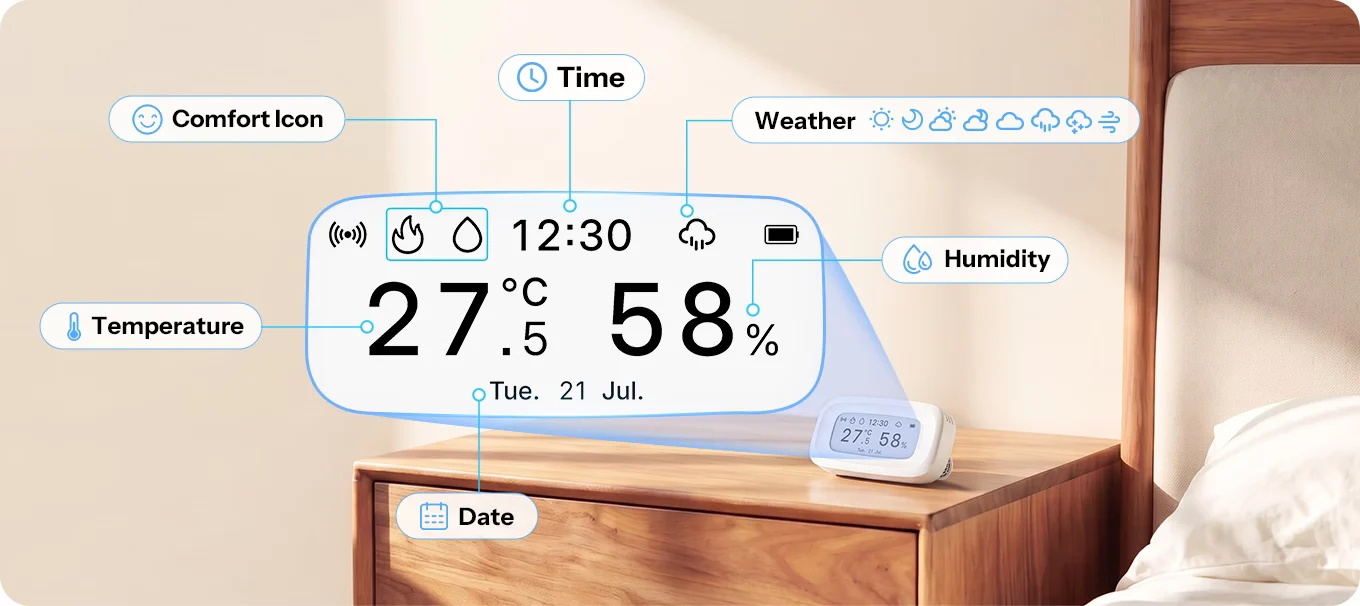
- *When used independently, only temperature and humidity are displayed. Connect to SONOFF Zigbee gateway or HA to unlock full data—time, date, weather, comfort icons, and more.
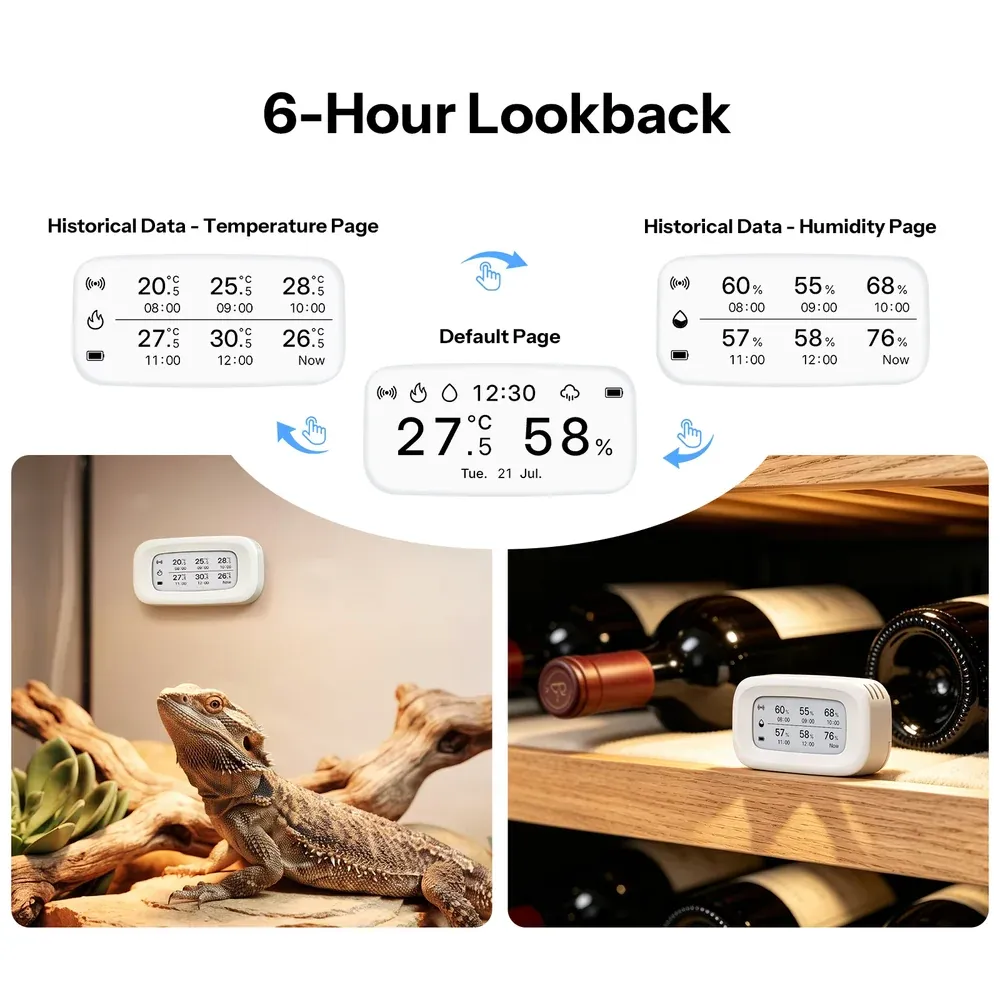
6-Hour Lookback
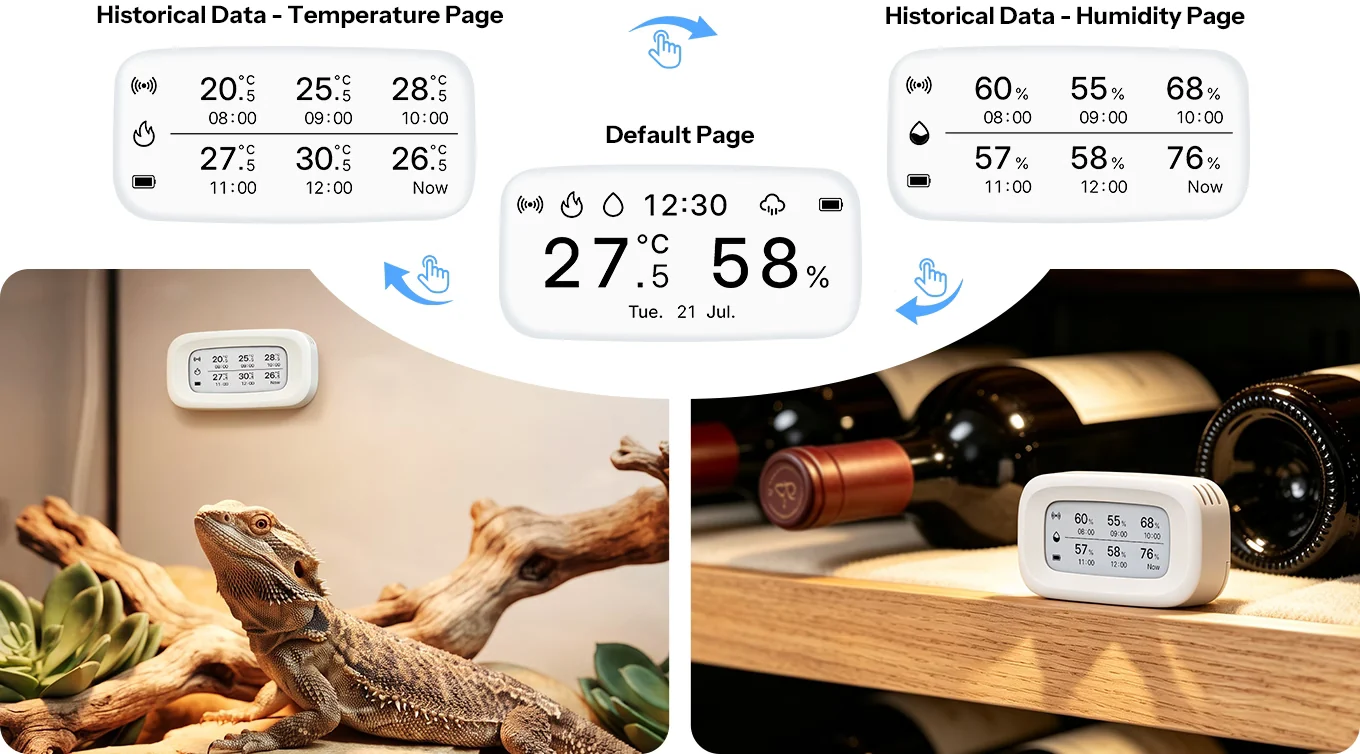
Press to see the past 6 hours of temperature and humidity data on the screen. Stable? One press gives you the answer — no phone required.
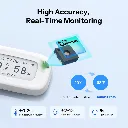
High Accuracy, Real-Time Monitoring
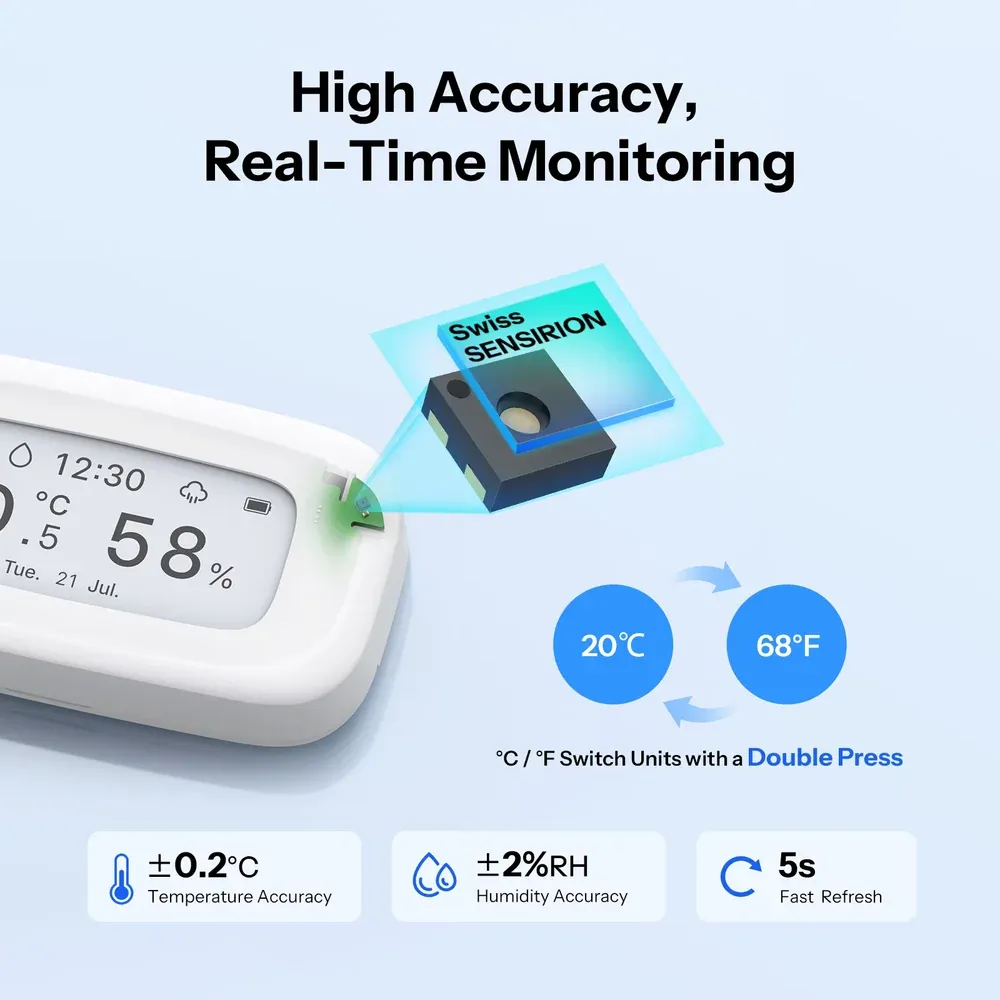
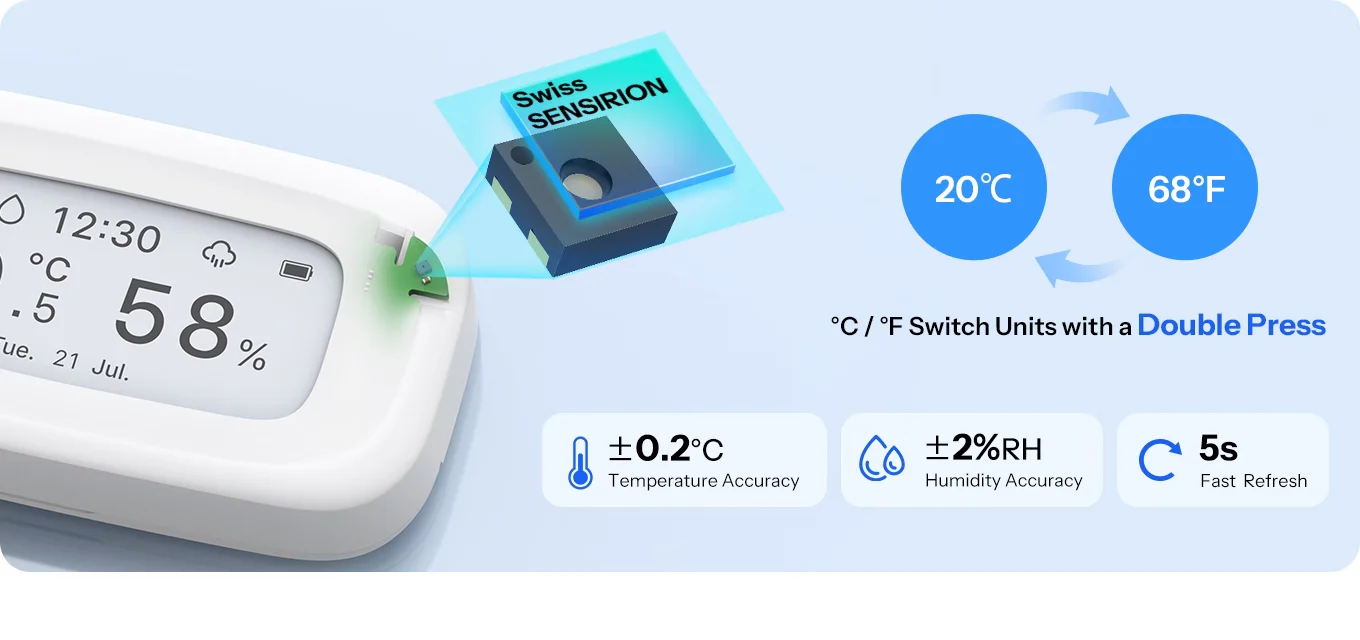
Powered by a high-precision Swiss Sensirion sensor, it refreshes data every 5 seconds to keep you up to date with changes in your environment.
Enable Remote Temperature Display: view readings from one paired sensor on the same gateway directly on-device.
Quickly check conditions from a separate room on the e-ink screen for greater convenience and peace of mind.
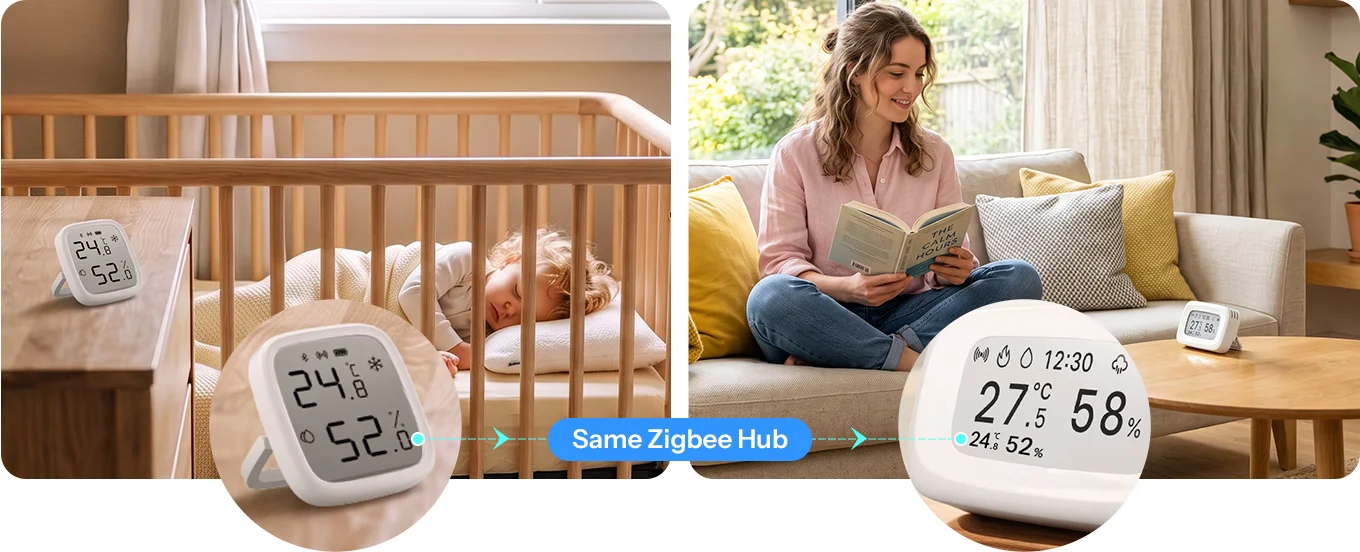
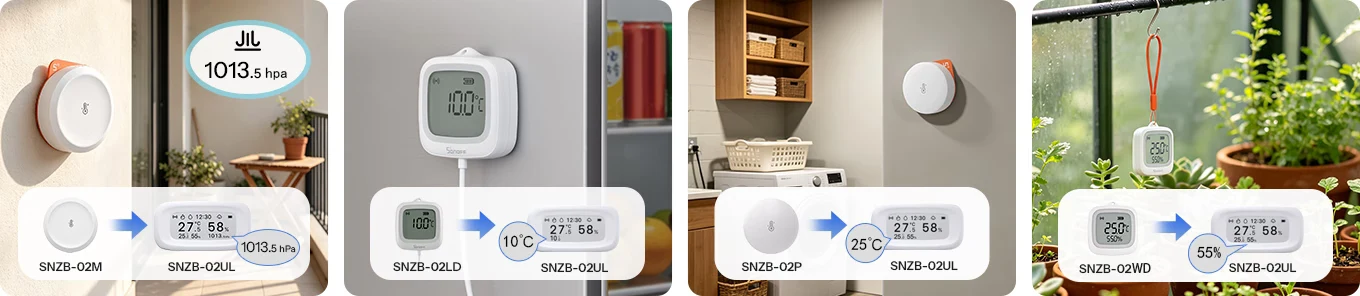
*The remote Temp. & Humi. Display function requires both devices to be connected under the same SONOFF gateway or integrated into Home Assistant.
Supported gateways: Bridge-M, ZBBridge-P, ZBBridge-U, NSPanel Pro, iHost.
Supported sensors that can be used as remote sensors: SNZB-02P, SNZB-02D, SNZB-02WD, SNZB-02LD, SNZB-02DR2, SNZB-02B, SNZB-02M, SNZB-02UL.
Use SNZB-02UL as an external temperature source for Smart TRV. It measures the temperature where you actually live and lets the Smart TRV adjust heating based on the real room temperature—not the heat around the radiator.
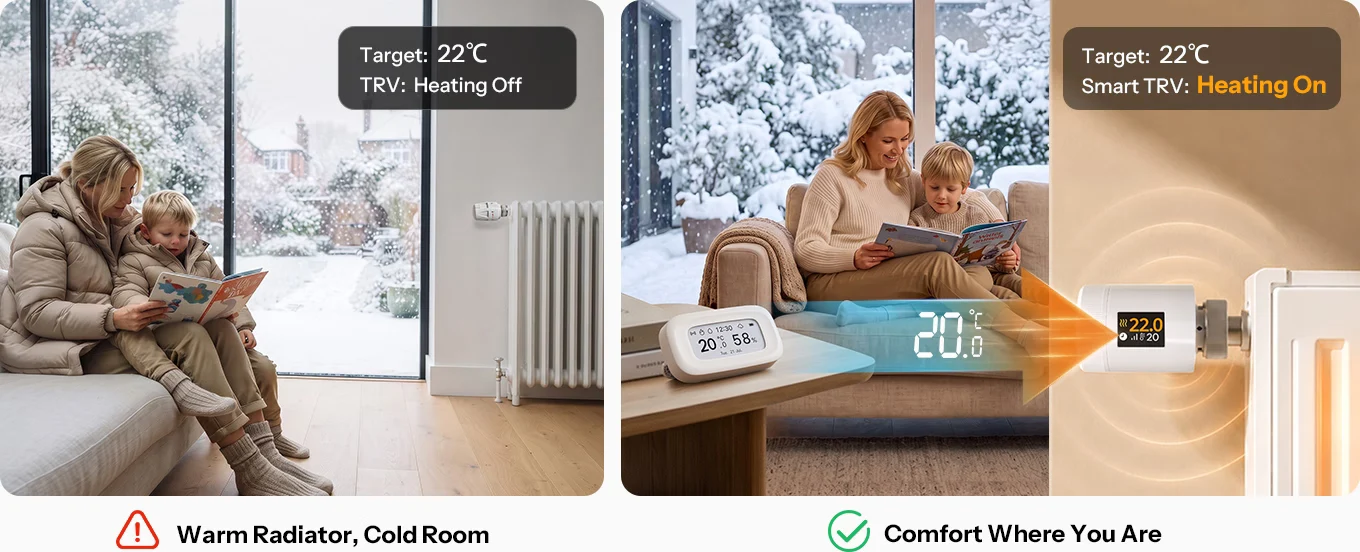
*When SNZB-02UL is used as an external temperature source for SONOFF smart TRV, both devices must be connected to the same SONOFF Zigbee gateway.
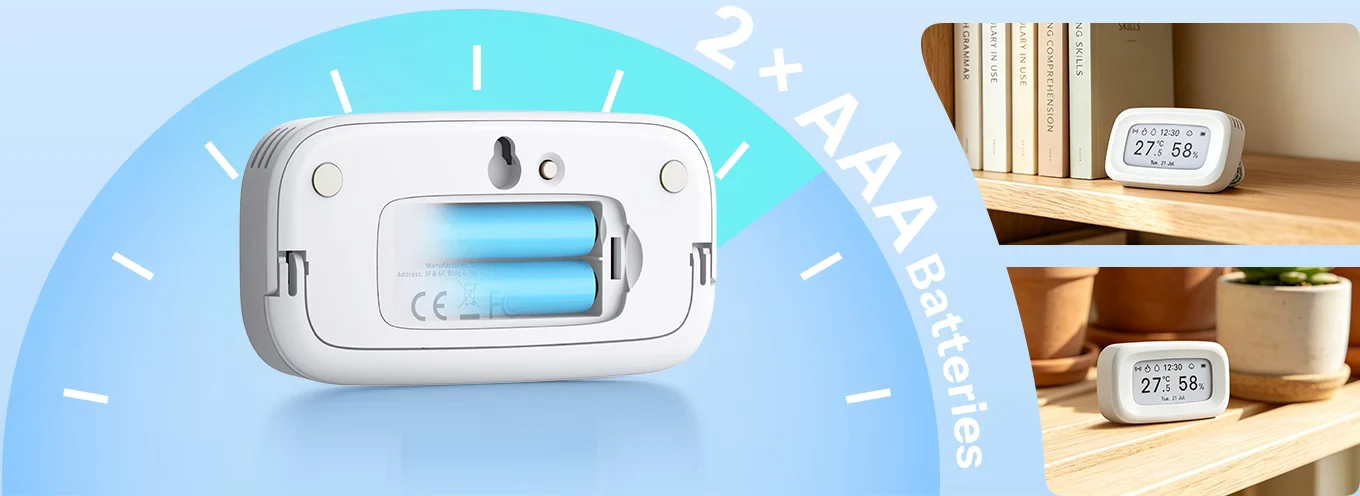
Powered by 2 standard AAA batteries, with no outlet or cables required. AAA batteries are widely available and easy to replace, giving you the freedom to place the device wherever you need it.
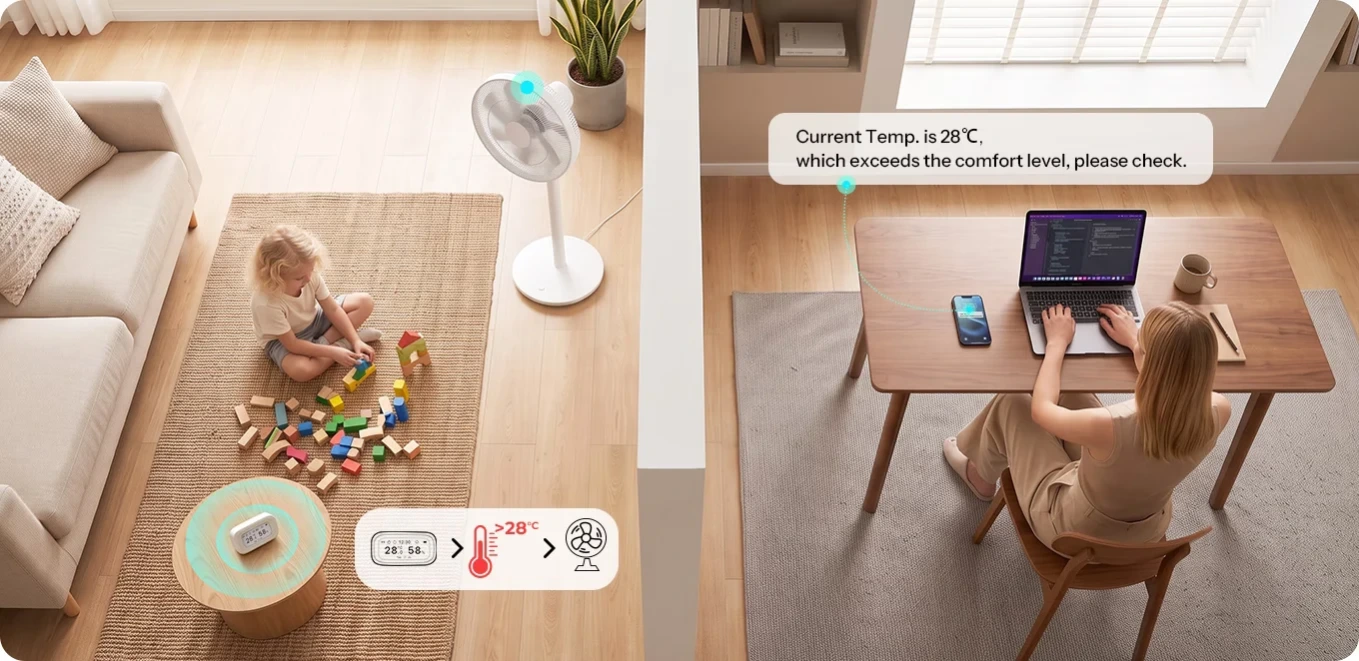
Set your ideal temperature and humidity ranges and get app alerts when conditions go beyond your limits. Pair with a smart plug to automatically turn on a fan or other connected devices when needed.
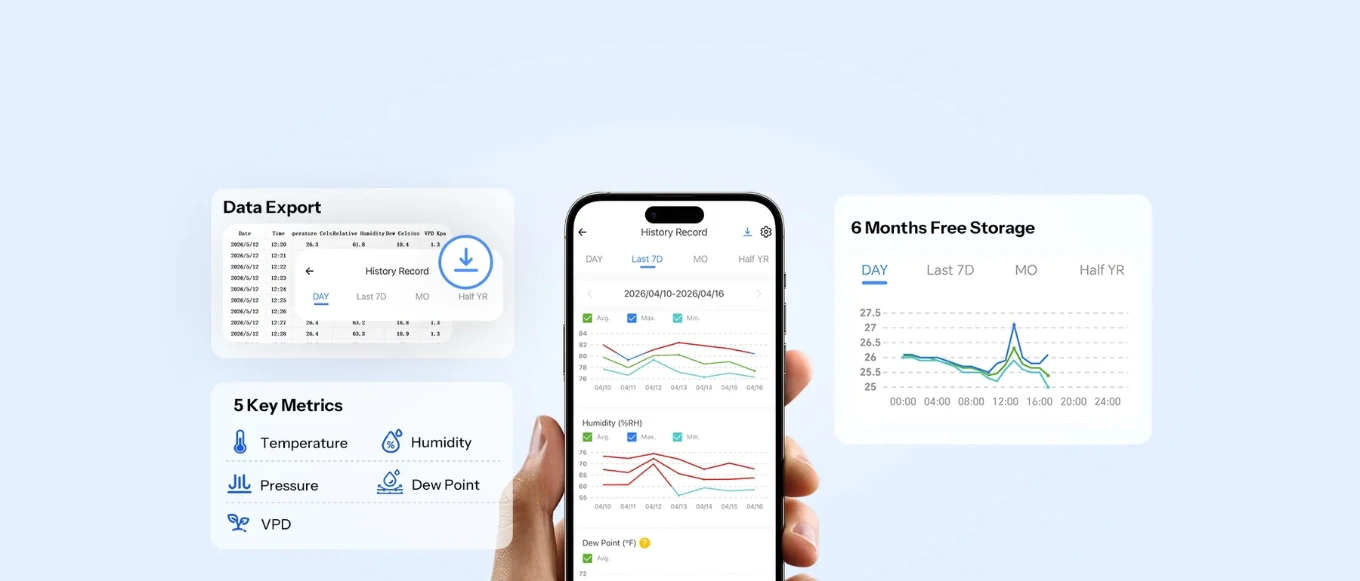
Enjoy up to 6 months of free cloud storage – view trends of temperature, humidity, air pressure, dew point, and VPD anytime,
and gain a more complete understanding of your environment
Compatible with major smart voice assistants— ask Alexa or Google, and you’ll get an instant update on the temperature and humidity.
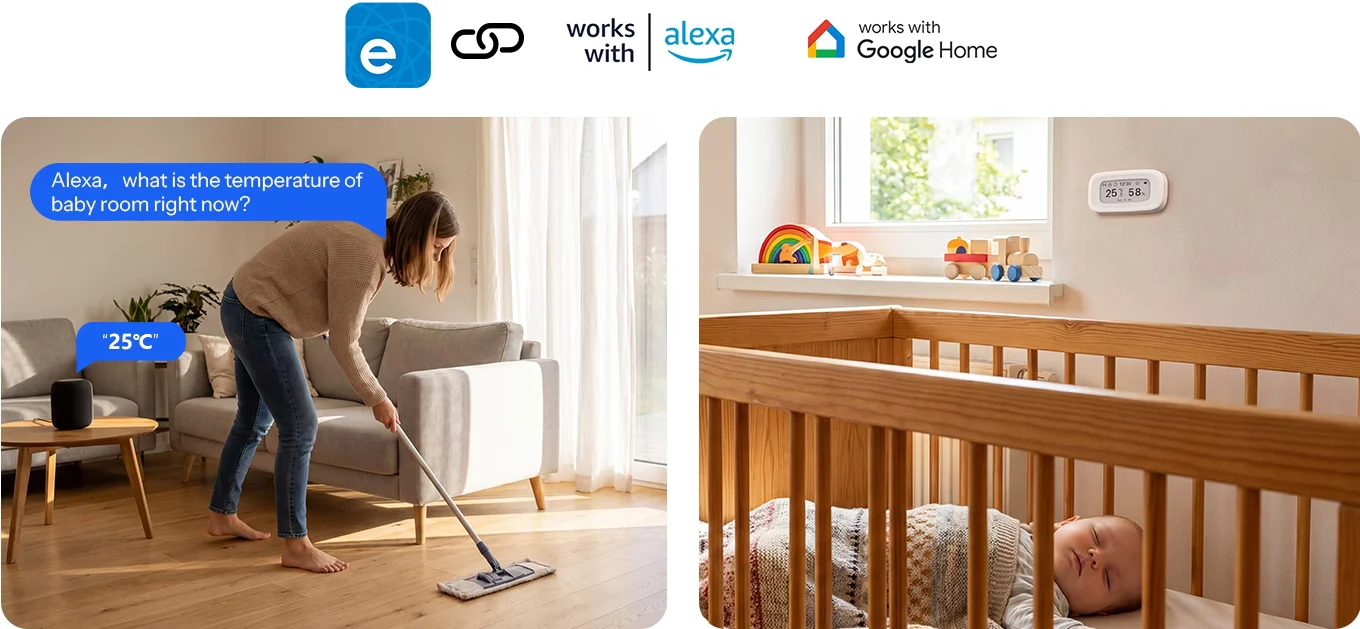
- *Note: This function requires adding the device to the eWeLink app and syncing it to third-party platforms via cloud-to-cloud integration; This process does not involve direct connection to the third-party gateway.
All solutions integrate SONOFF Zigbee devices into your Apple ecosystem via Matter Bridge, enabling seamless interconnected device control.
Learn More about Bridge-M | Learn More about eWeLink CUBE
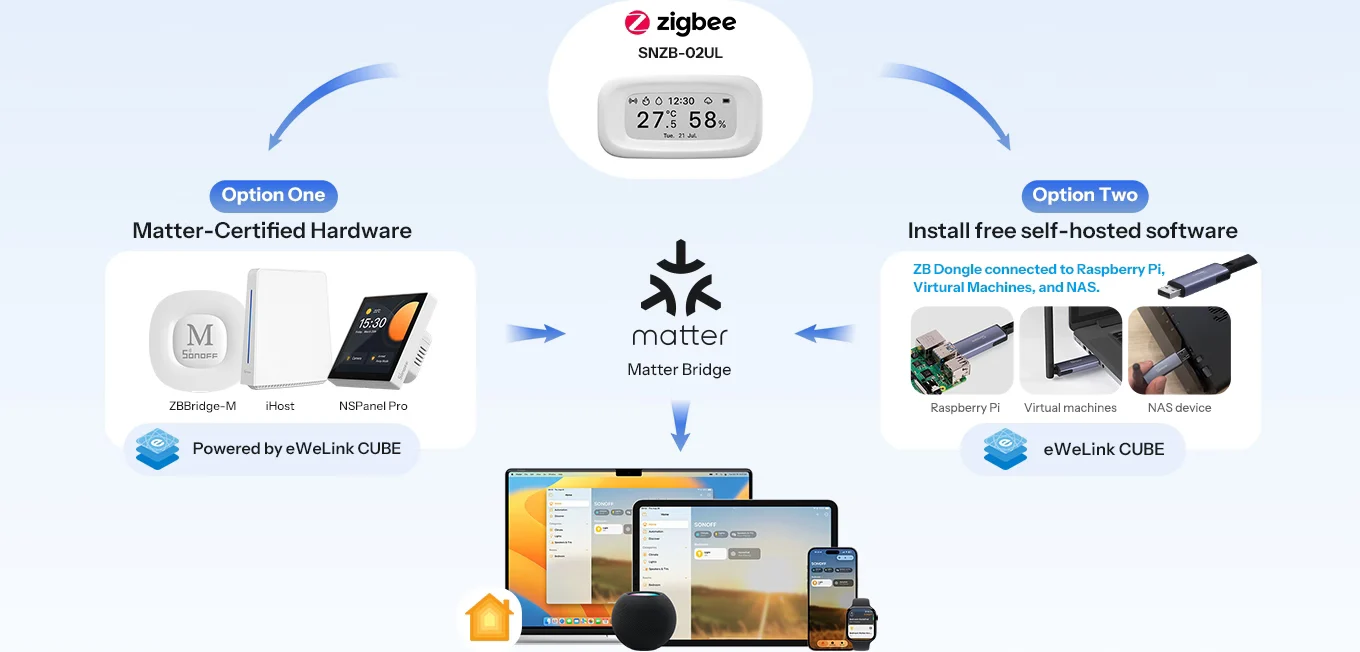
- *Note: This function requires adding the device to the eWeLink app and syncing it to third-party platforms via cloud-to-cloud integration; This process does not involve direct connection to the third-party gateway.
Easily Integrates with Open-Source Platforms
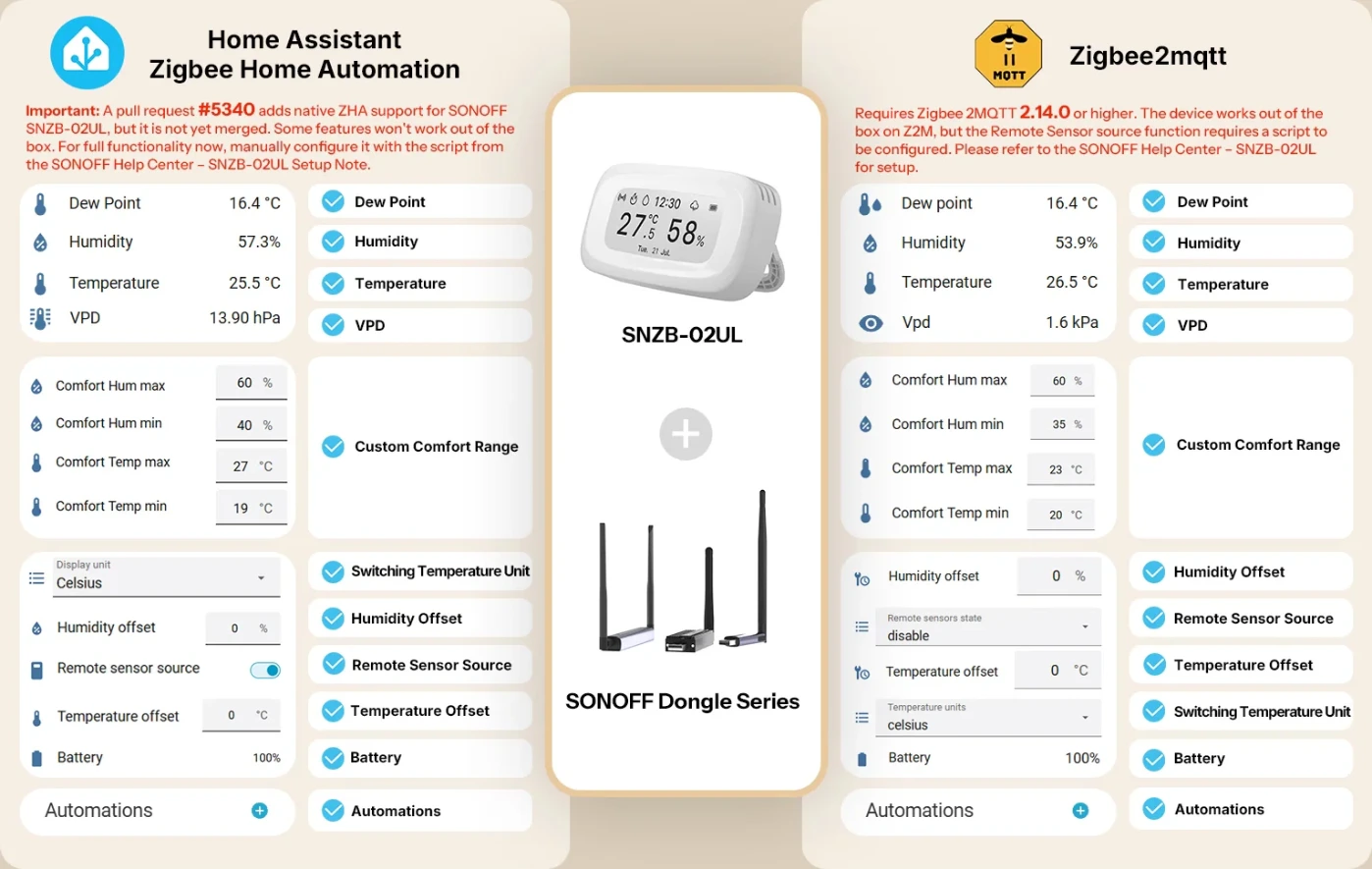
Integrate SNZB-02UL into the Home Assistant open-source platform with the SONOFF Dongle Series.
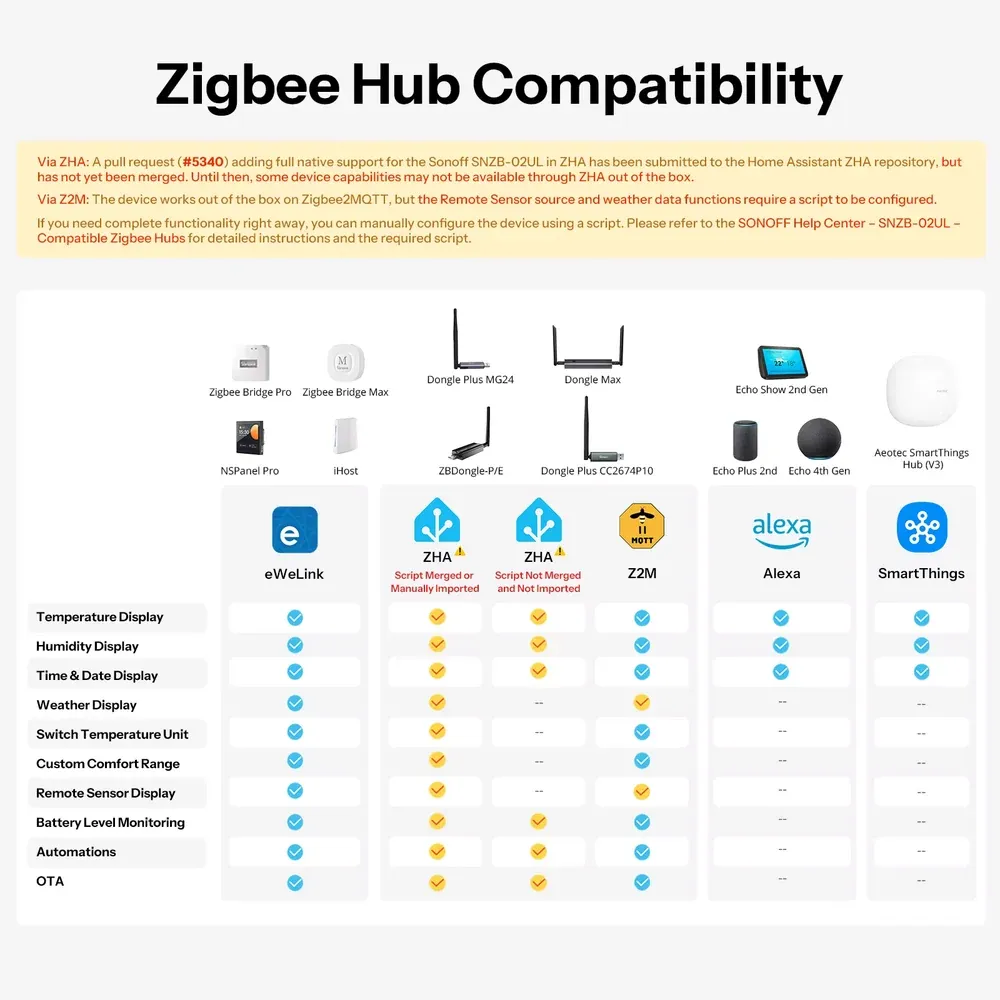
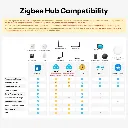
Zigbee Hub Compatibility
Via ZHA: A pull request (#5340) adding full native support for the Sonoff SNZB-02UL in ZHA has been submitted to the Home Assistant ZHA repository, but has not yet been merged. Until then, some device capabilities may not be available through ZHA out of the box.
Via Z2M: The device works out of the box on Zigbee2MQTT, but the Remote Sensor source and weather data functions require a script to be configured.
If you need complete functionality right away, you can manually configure the device using a script. Please refer to the SONOFF Help Center - SNZB-02UL - Compatible Zigbee Hubs for detailed instructions and the required script.
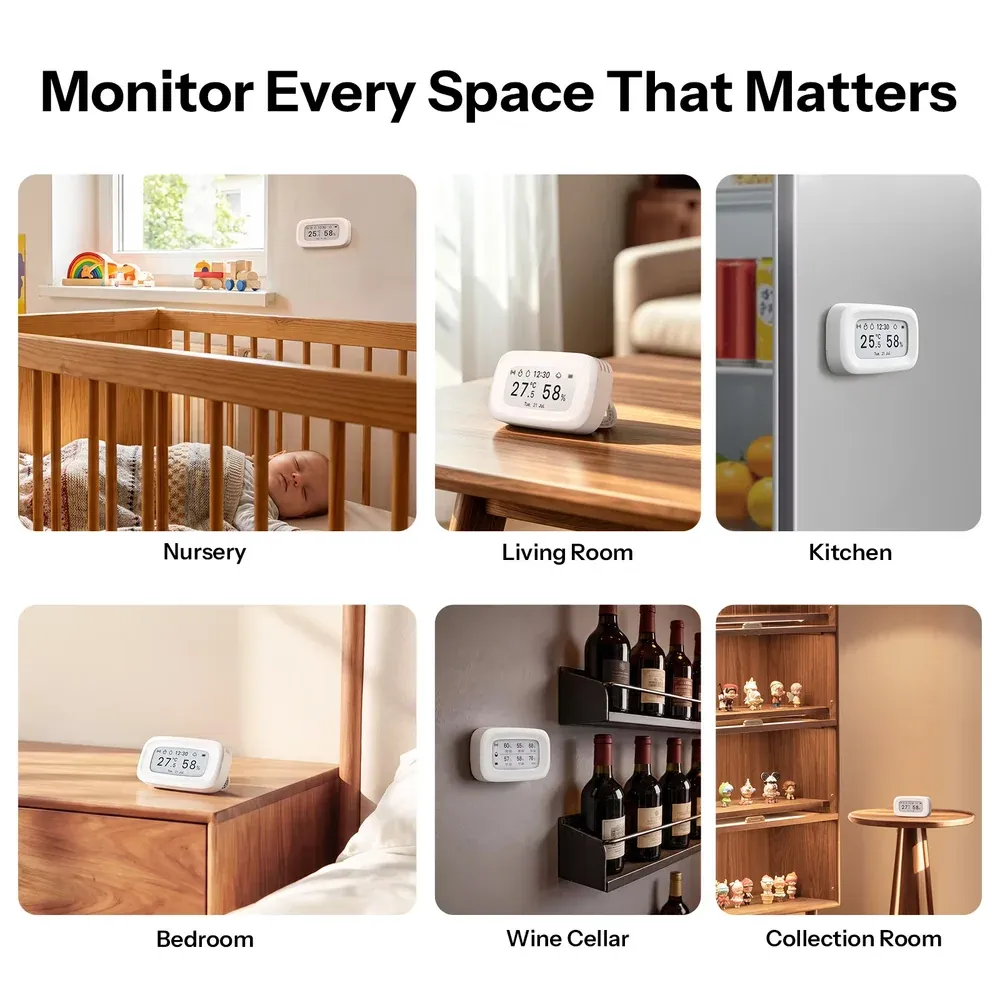
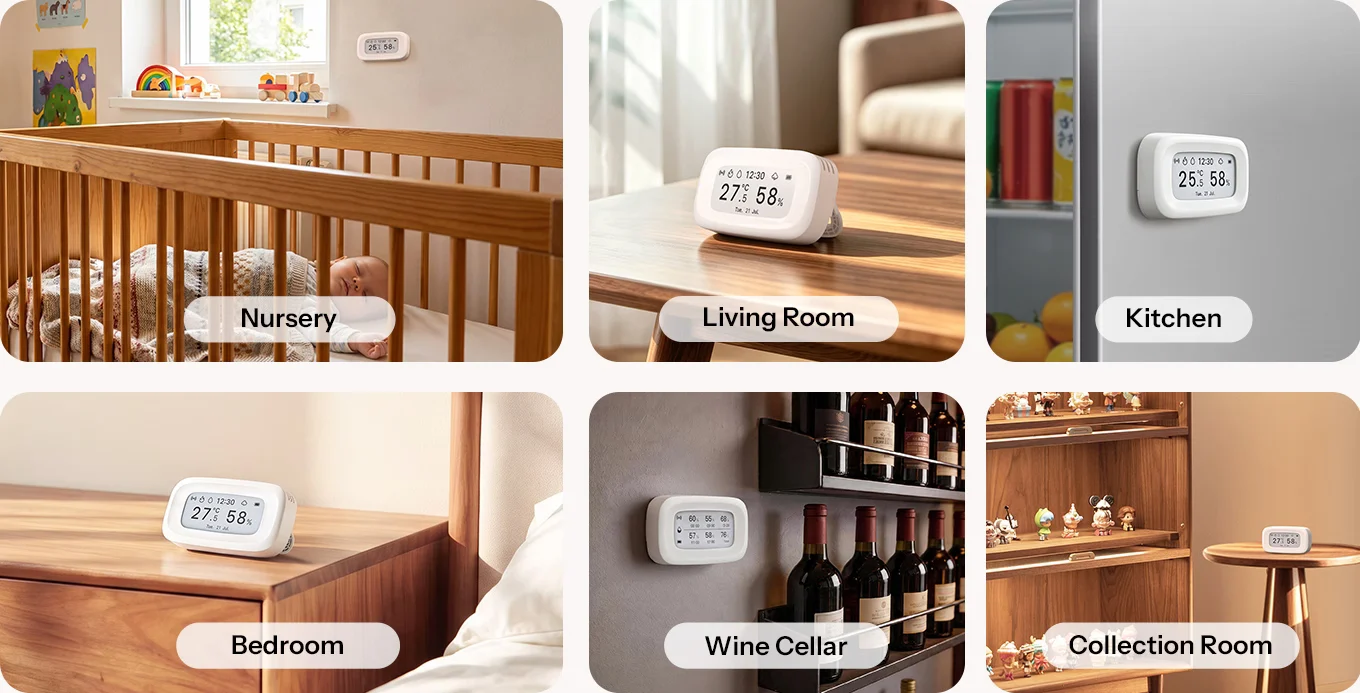
Flexible Placement for Any Space
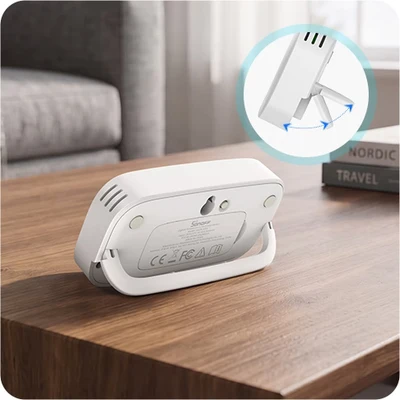
Tabletop Placement
Foldable Stand
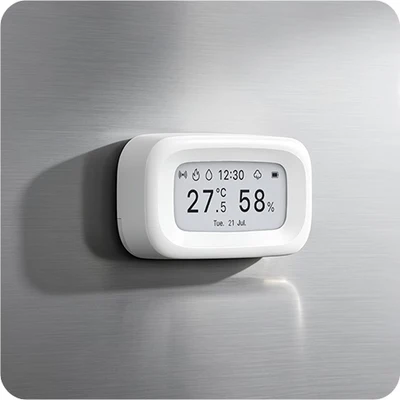
Magnetic Attachment
Built-in Magnet
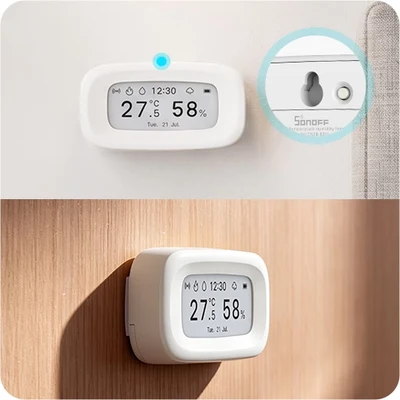
Wall / Adhesive
Pre-Drilled Holes / Adhesive Tape Included
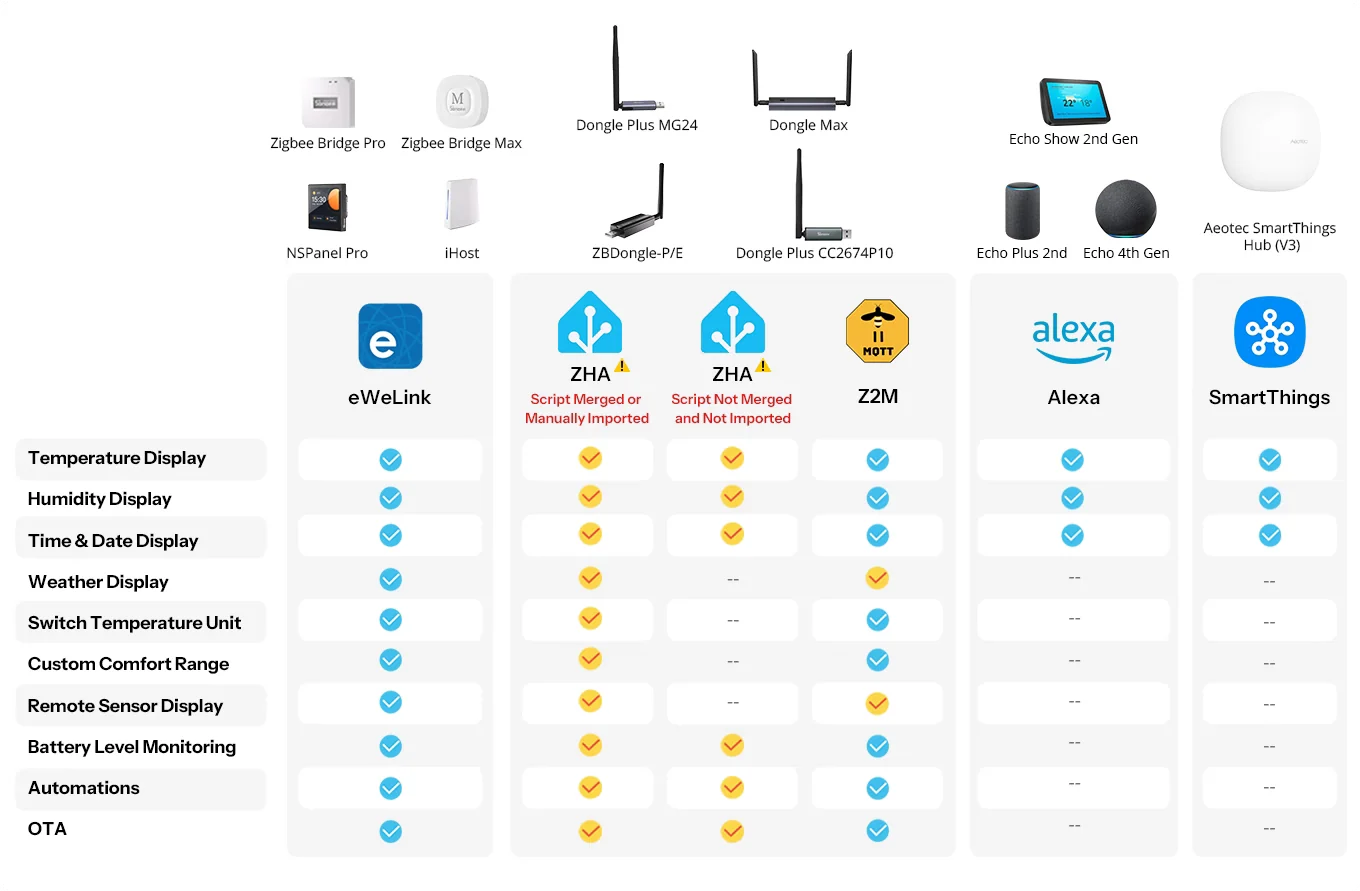
Product Comparison
1. Matter Bridge: Bridge-M, ZBBridge-U, iHost, Cube OS with SONOFF Zigbee Dongle.
2.This function requires adding the device to the eWeLink app via the SONOFF zigbee gateway and syncing it to third-party platforms through cloud-to-cloud integration.
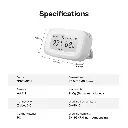
Specifications
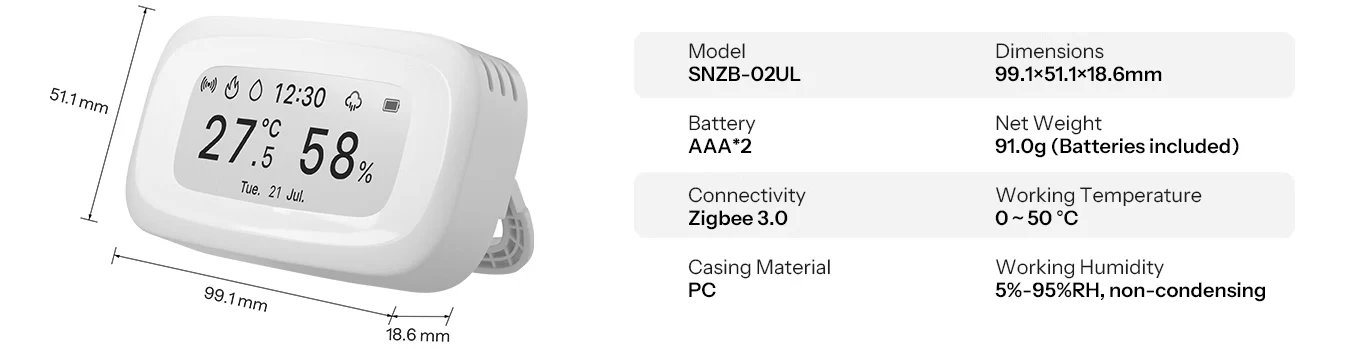
Specs & User Manual
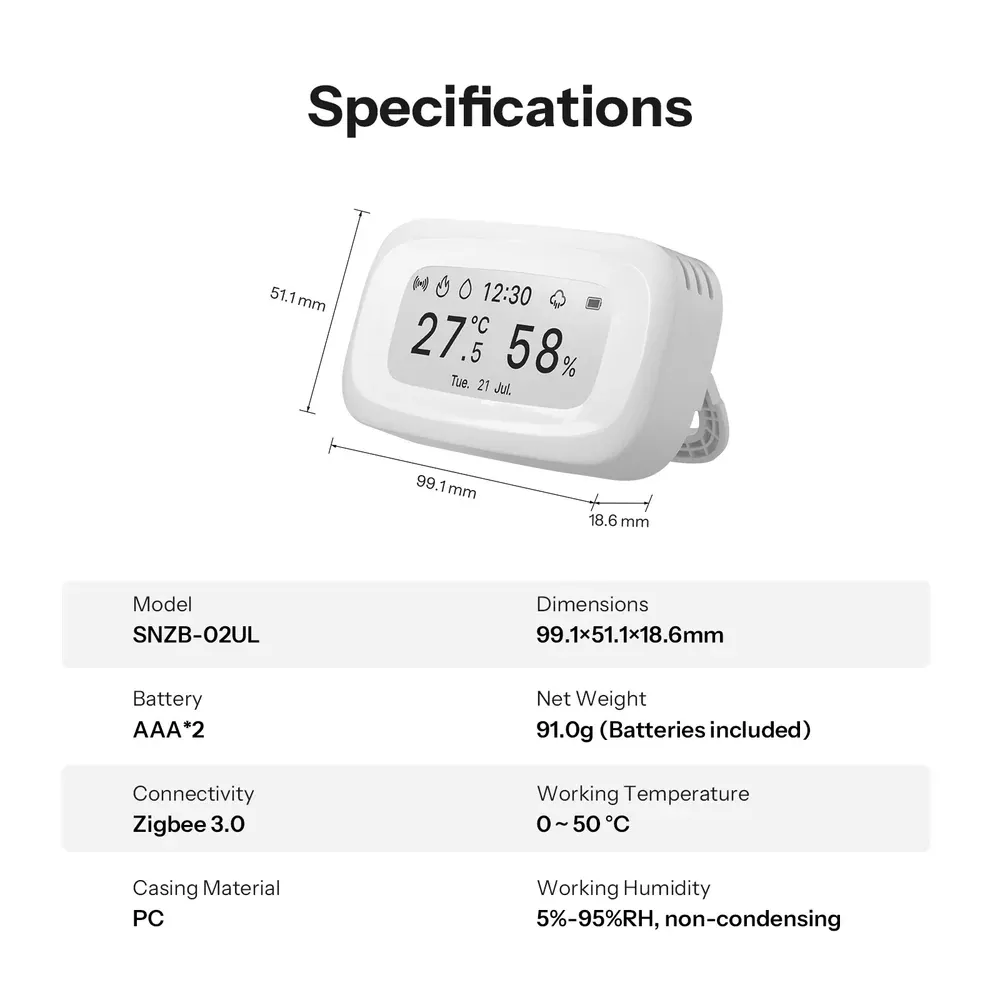
SNZB-02UL is a 2.9" E-Ink temperature and humidity sensor designed for clear and convenient environmental monitoring. It provides a nearly 180° viewing angle and clear readability even in bright spaces like sunrooms and balconies. With ±0.2°C/±0.4°F temperature accuracy, ±2%RH humidity accuracy, and 5-second refresh, it delivers timely and reliable readings. Connect compatible sensors to the same gateway to view conditions from multiple spaces on one screen, with four flexible placement options for easy installation.
| Product Series | AirGuard Series |
| Product Name | Zigbee Temperature Humidity Sensor |
| Model | SNZB-02UL |
| MCU | TLSR8258 |
| Input | 3.0V⎓ (2×1.5V batteries) |
| Battery Model | LR03 AAA |
| Display | 2.9" E-Ink |
| Wireless Connection | Zigbee (IEEE 802.15.4) |
| Net Weight | 91.0g (including batteries) |
| Color | White |
| Dimensions | 99.1 × 51.1 × 18.6 mm |
| Casing Material | PC |
| Application Environment | Indoor |
| Working Temperature | 0 to 50 °C |
| Working Humidity | 5% to 95% RH (non-condensing) |
| Temperature Accuracy | ±0.2°C / ±0.4°F |
| Humidity Accuracy | ±2% RH |
| Certification | CE / FCC / RoHS |
FAQ
When the E-Ink display updates its content, the entire screen may briefly flash as the pixels are refreshed. This is a normal characteristic of E-Ink technology. You may notice this when switching pages or refreshing data. It does not indicate a malfunction or affect the product's service life.
- The device works standalone, showing real-time temperature, humidity, and 6-hour history via the button.
- Time, date, weather, Remote Temperature & Humidity Source, Smart Scenes, and more require a compatible Zigbee gateway or Home Assistant.
The device uses Celsius (°C) by default. Double-press the button on the back to switch between Celsius (°C) and Fahrenheit (°F).
The device supports this function in two ways:
Option 1 – SONOFF Zigbee Gateway (Recommended)
Make sure both devices are on the same gateway and online. Then verify the correct remote source is selected in settings. Data sync may take a few moments.
Option 2 – Home Assistant (HA)
Script configuration is required. Please refer to Key Features >> Compatible Zigbee Hubs for setup instructions and script files.
Connected to a gateway: 8+ months
Standalone use (no gateway): 15+ months
When connected to a gateway, the device needs to continuously perform time refresh, communication, and synchronization, resulting in relatively higher power consumption.
The above figures are laboratory data; actual battery life depends on actual usage conditions.
The device operates within a temperature range of 0–50°C. Within this range, the E-Ink display performs normally.
To ensure normal display performance, please keep the device within 0–50°C. Using it outside this range may cause ghosting or visual artifacts, which is a normal characteristic of E-Ink technology at extreme temperatures
The weather icon requires HA to push weather data to the device via the script. Please refer to Key Features >> Compatible Zigbee Hubs for setup instructions and script files.
An E-Ink display can retain the last image even after the device is powered off. This is a normal characteristic of E-Ink technology and does not indicate a malfunction. After a new battery is installed and the device is powered on, the screen will refresh and resume normal operation.
The device supports Dew Point and VPD data tracking. Dew point and VPD are calculated based on temperature and relative humidity. You can access these metrics in two ways:
- Home Assistant (HA)
Once the device is integrated with HA, you can view the relevant data on your HA dashboard. - eWeLink App
Open the App, go to the device's "History Record" page, and view the trend charts for Dew Point and VPD
.
Slight differences between sensors are normal. Readings may vary depending on sensor accuracy, placement, airflow, heat sources, and surrounding environmental conditions.
For more consistent measurements, place the sensors away from direct sunlight, heat sources, vents, or other sources of localized temperature changes.
Specifications
| Brand | Sonoff |
Our latest content
Check out what's new in our company !