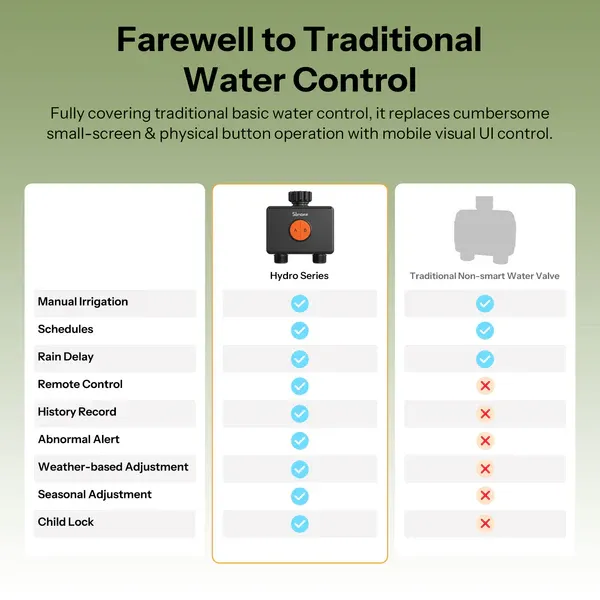
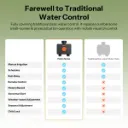
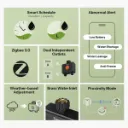
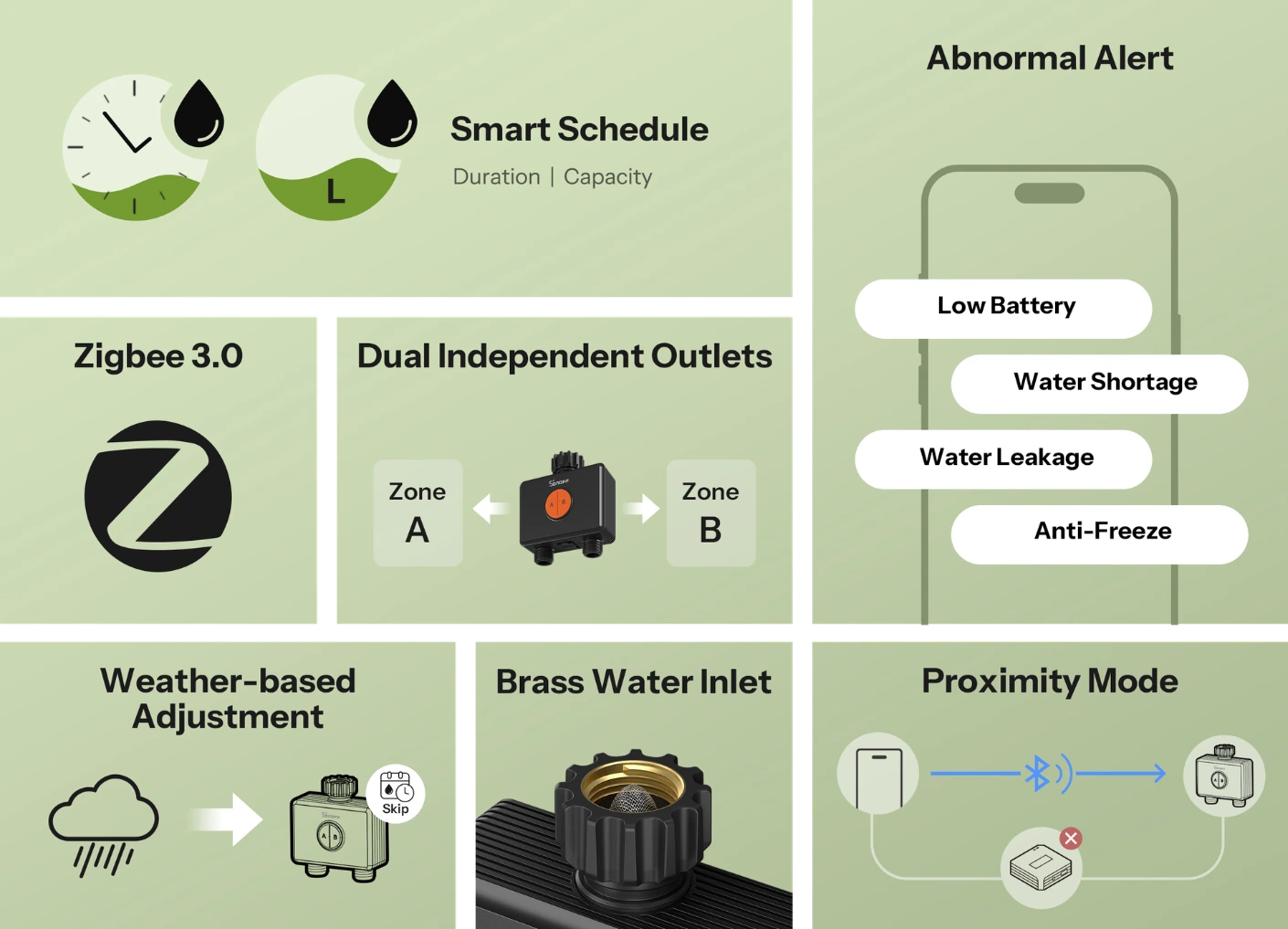
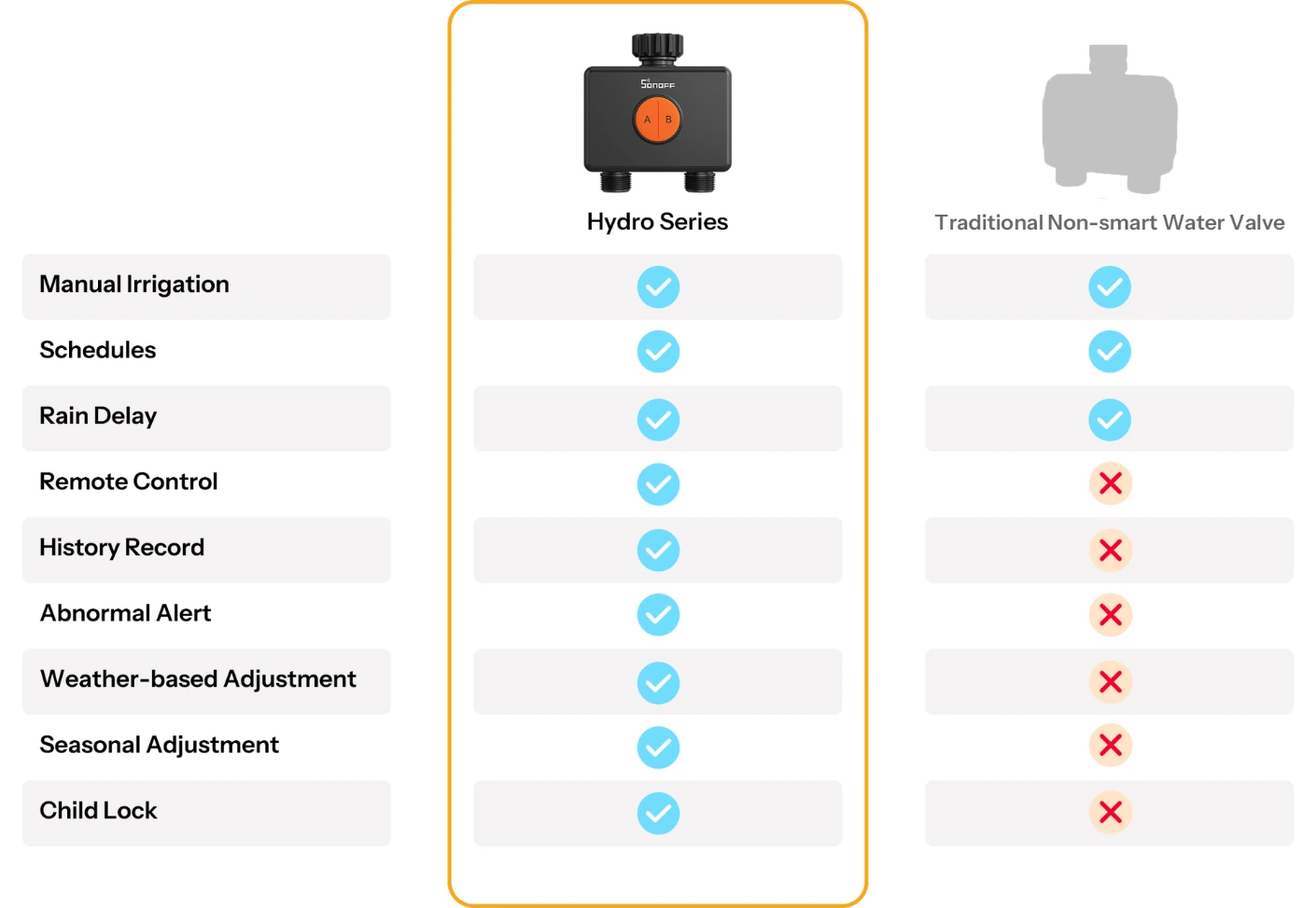
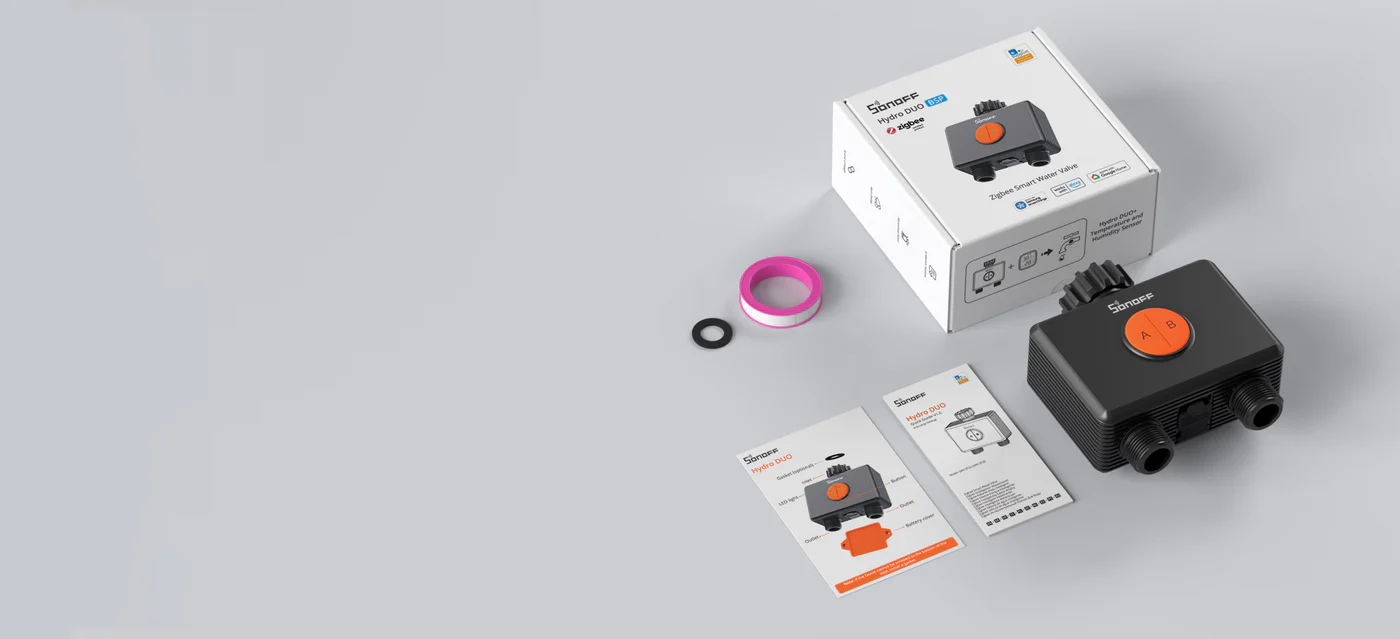
Fully covering traditional basic water control, it replaces cumbersome small-screen & physical button operation with mobile visual UI control. Effortlessly manage water at home or on the go for a fully upgraded water usage experience!
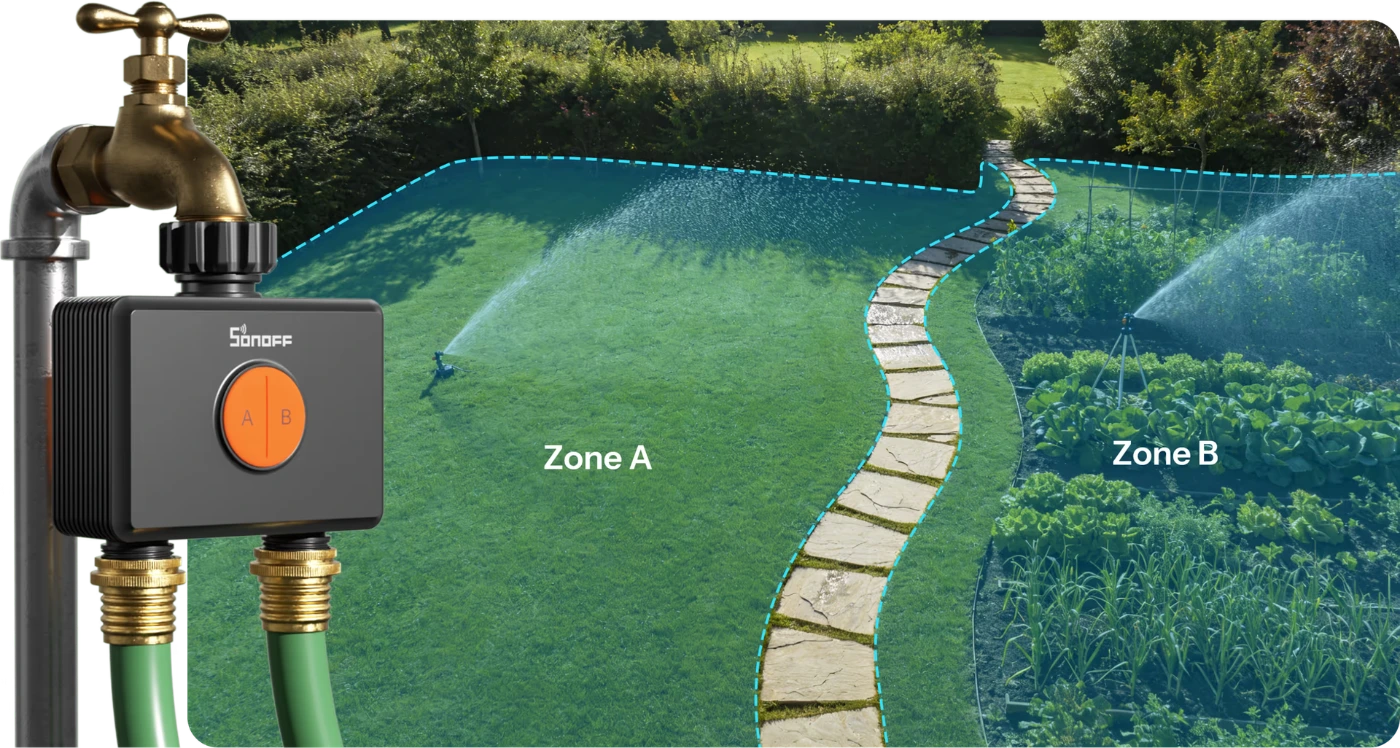
Dual-Zone Design for Dual Relief
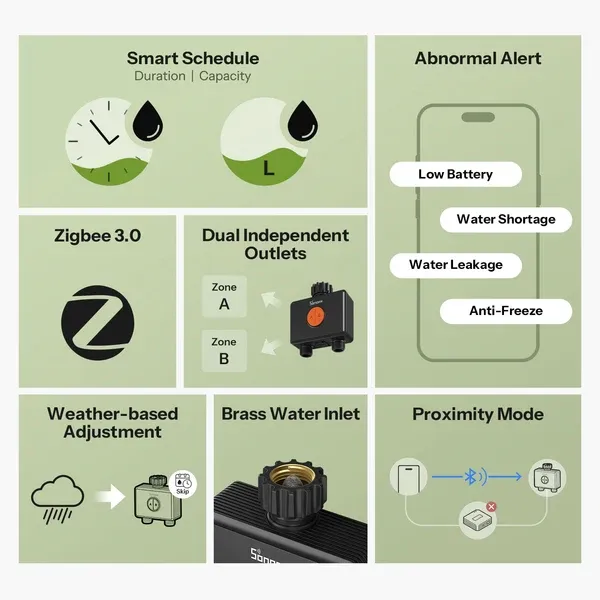
Independent dual-zone control meets the intelligent irrigation needs of multiple zones with different flow rates,
enabling precise water control.
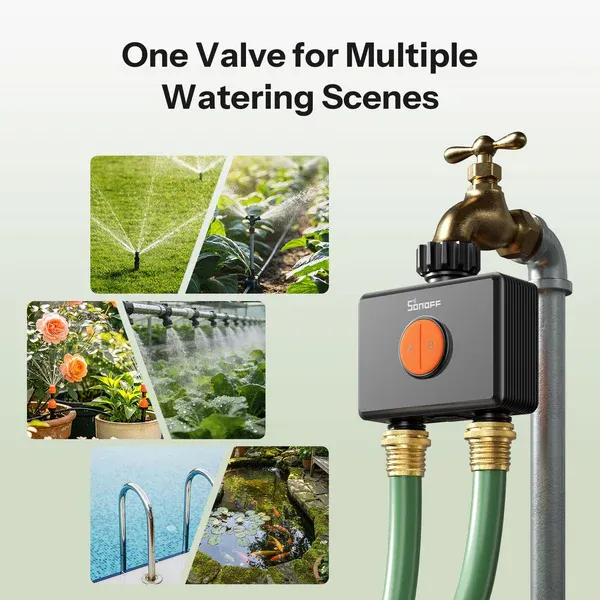
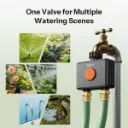
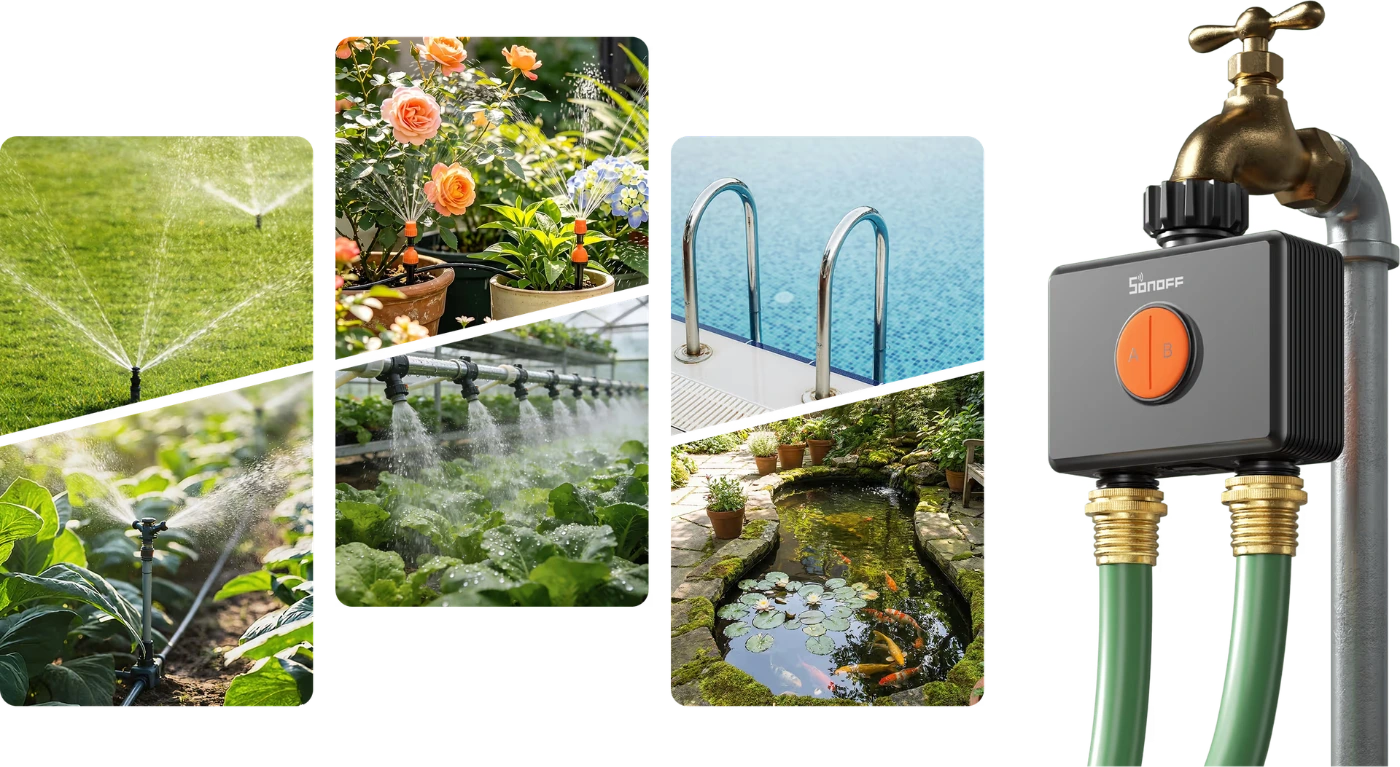
One Valve for Multiple Watering Scenes
Whether for precise drip irrigation or wide-area spraying, it can be flexibly configured to suit your needs.
Two outlets can water two different zones independently, meeting a variety of watering requirements.
Professional Materials. Easy Installation. Instant Smart Upgrade.
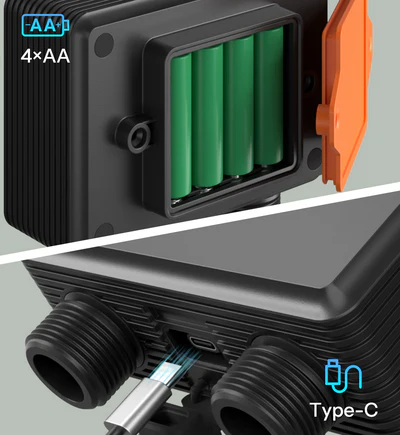
Two Power Supply Options
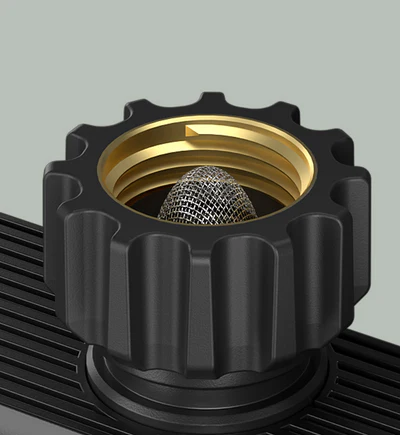
Brass Water Inlet for Sturdiness and Durability
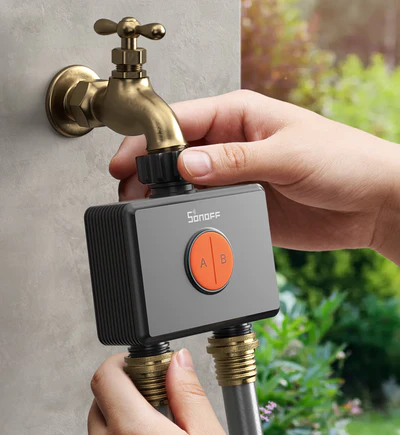
Tool-Free Quick-Connect Design for Easy Installation
Note: It is recommended to install vertically as horizontal installation may increase the error in flow rate measurement.
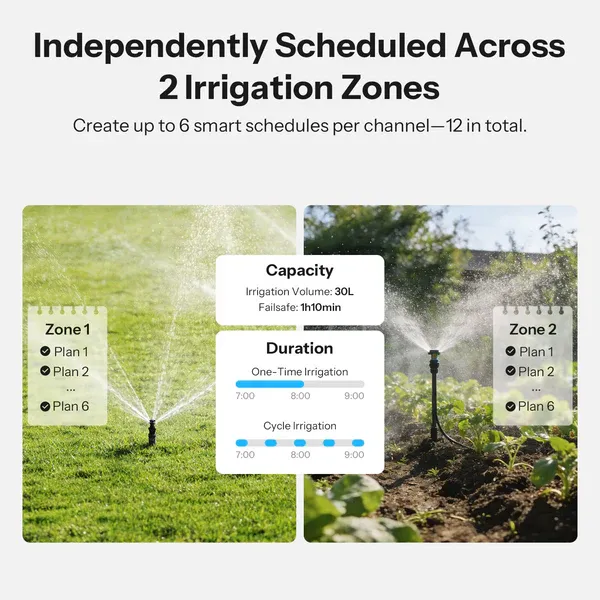
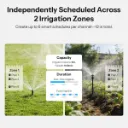
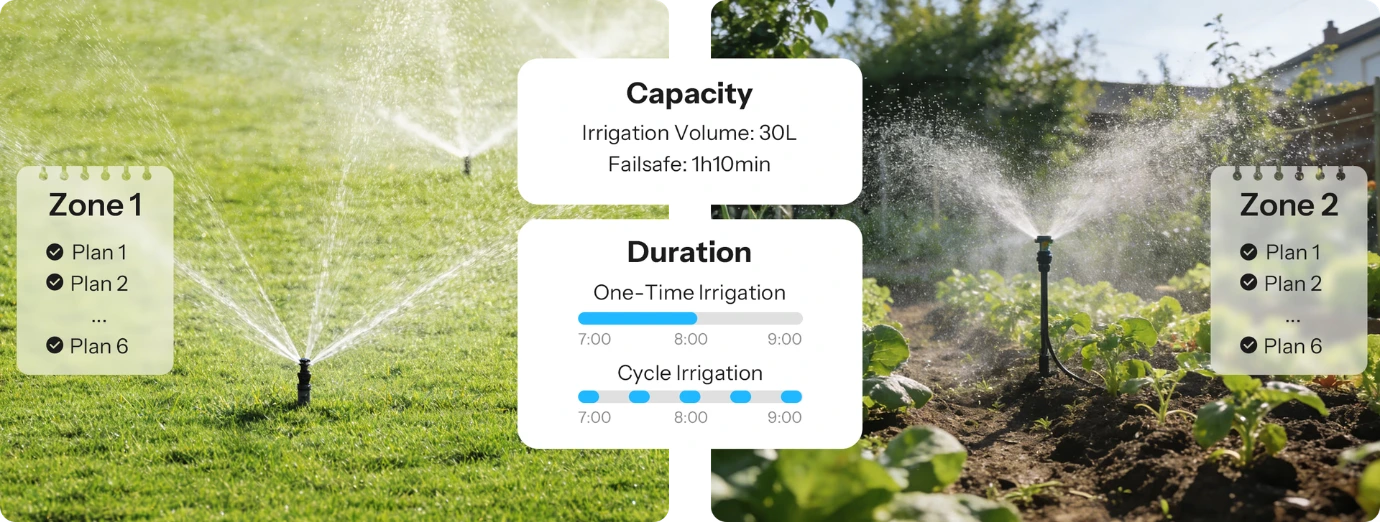
Independently Scheduled Across 2 Irrigation Zones
Create up to 6 smart schedules per channel—12 in total. Independently manage two irrigation
zones with timed or volume-based modes for precise, efficient watering.
Failsafe: Users can set the operating time limit themselves. If the preset volume isn't achieved within the time limit, the system will stop automatically to prevent low-pressure delays to the rest of your irrigation plan.
Seasonal Adjustment for Healthier Plants
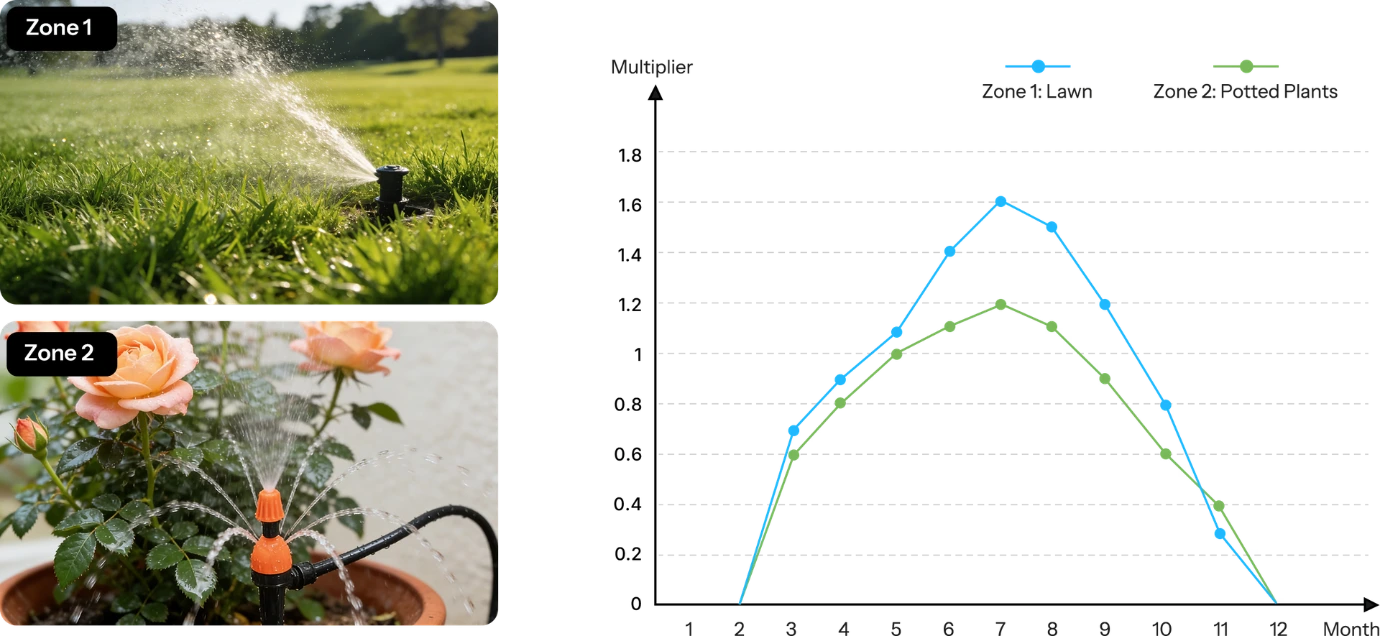
Adjust the watering multiplier for each zone by month to ensure plants in every area receive optimal hydration year-round
and every drop of water is used efficiently.
*In freezing weather, please remove the valve and drain any remaining water to prevent freezing and cracking, protecting your device. The multipliers shown are for reference only. Please adjust based on your local climate and plant needs.
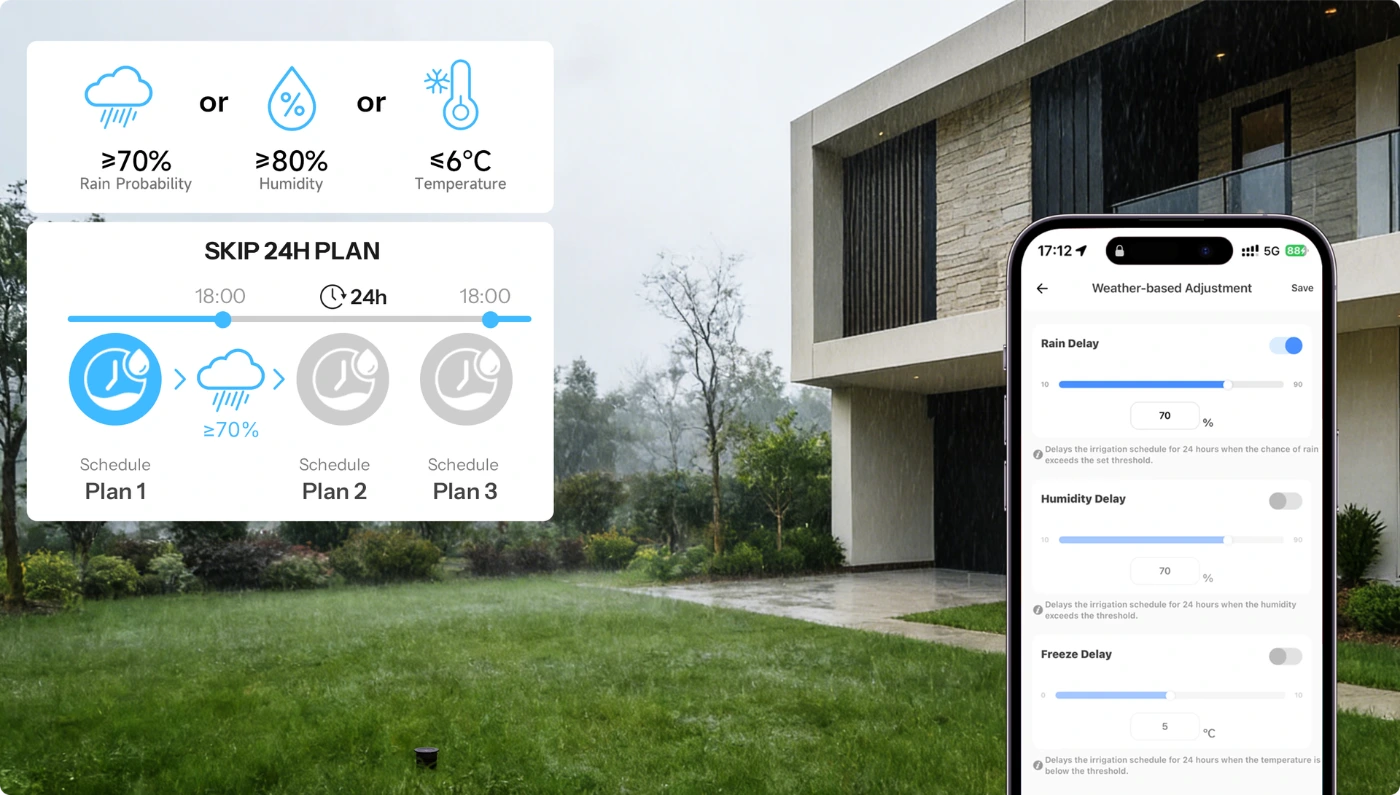
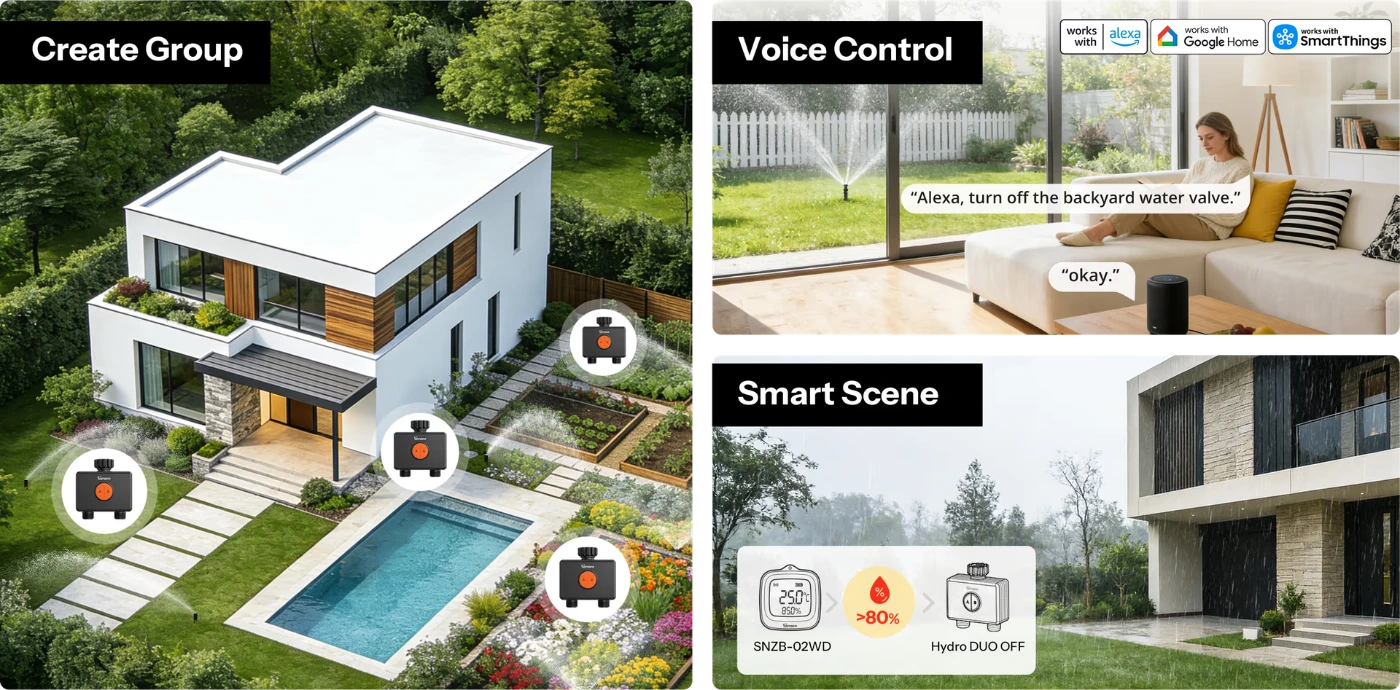
Smart Irrigation That Adapts to the Weather
When severe weather is expected, scheduled watering within the next 24 hours is automatically paused, helping your irrigation plan
stay in sync with real conditions.
Note: This feature relies on third-party weather data. Due to regional coverage and data update delays,
actual weather conditions may differ, which could affect the watering schedule.
Multiple Safety Protections for Worry-Free Watering
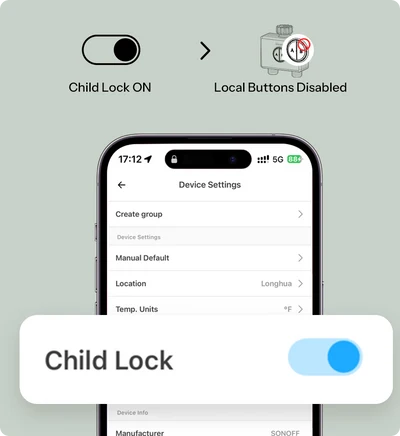
Child Lock
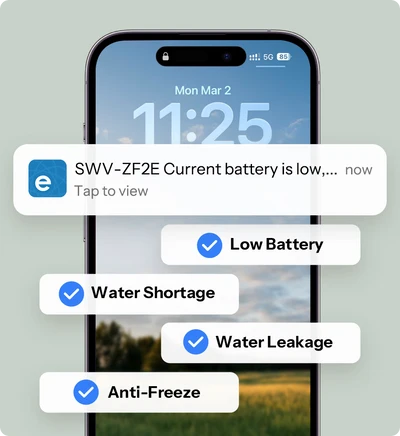
Abnormal Alerts
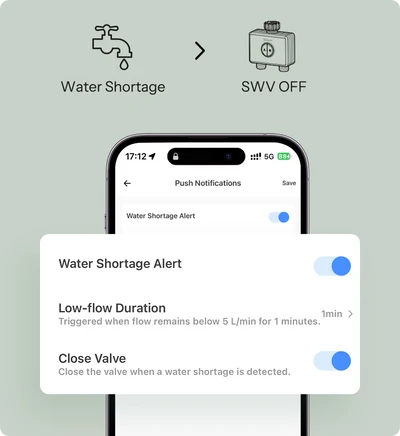
Auto Shut-off on Water Shortage
*When the child lock is activated, the local buttons become inactive and control is only available via the APP.
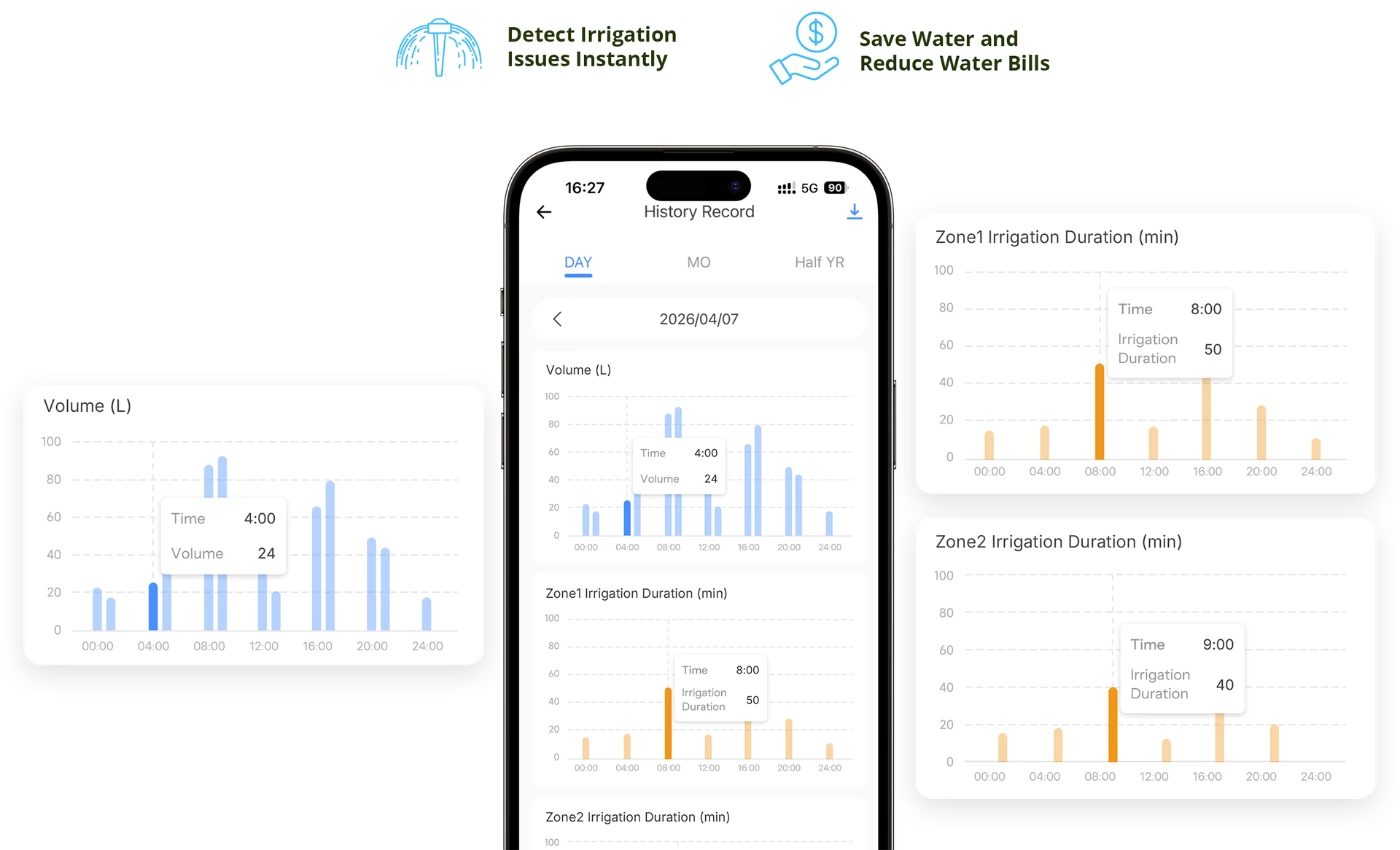
Track Every Drop of Water
View and download up to 6 months of water usage data by zone, giving you clear insights into each area
and helping you optimize your irrigation plan.
Smart Integration for More Efficient Irrigation
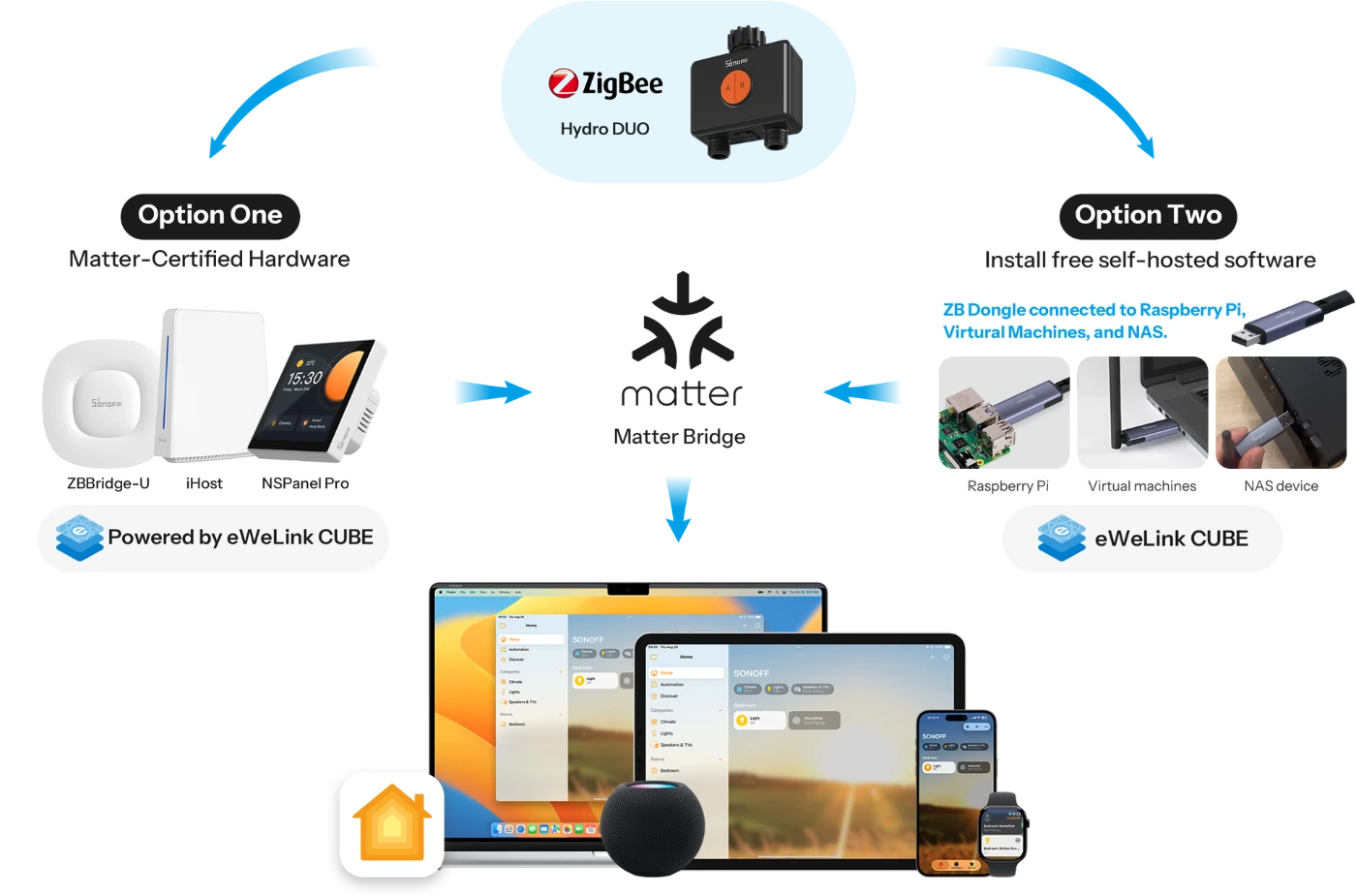
Works with Apple Home Via Matter Bridge
All solutions integrate SONOFF Zigbee devices into your Apple ecosystem via Matter Bridge, enabling seamless interconnected device control.
Learn More about ZBBridge-U | Learn More about eWeLink CUBE.
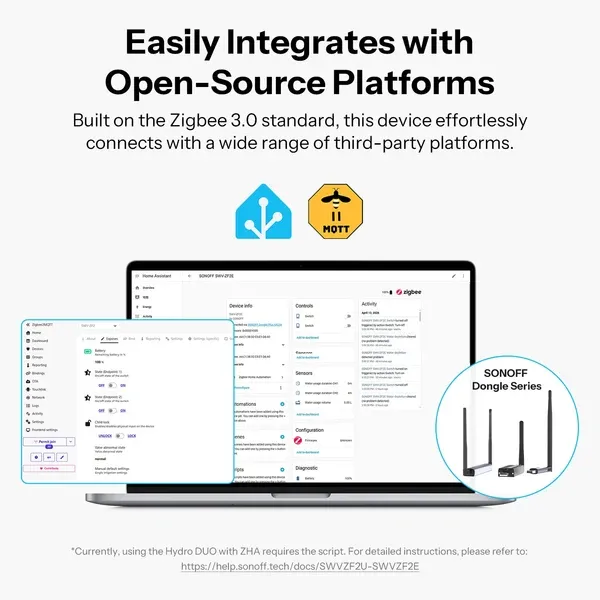
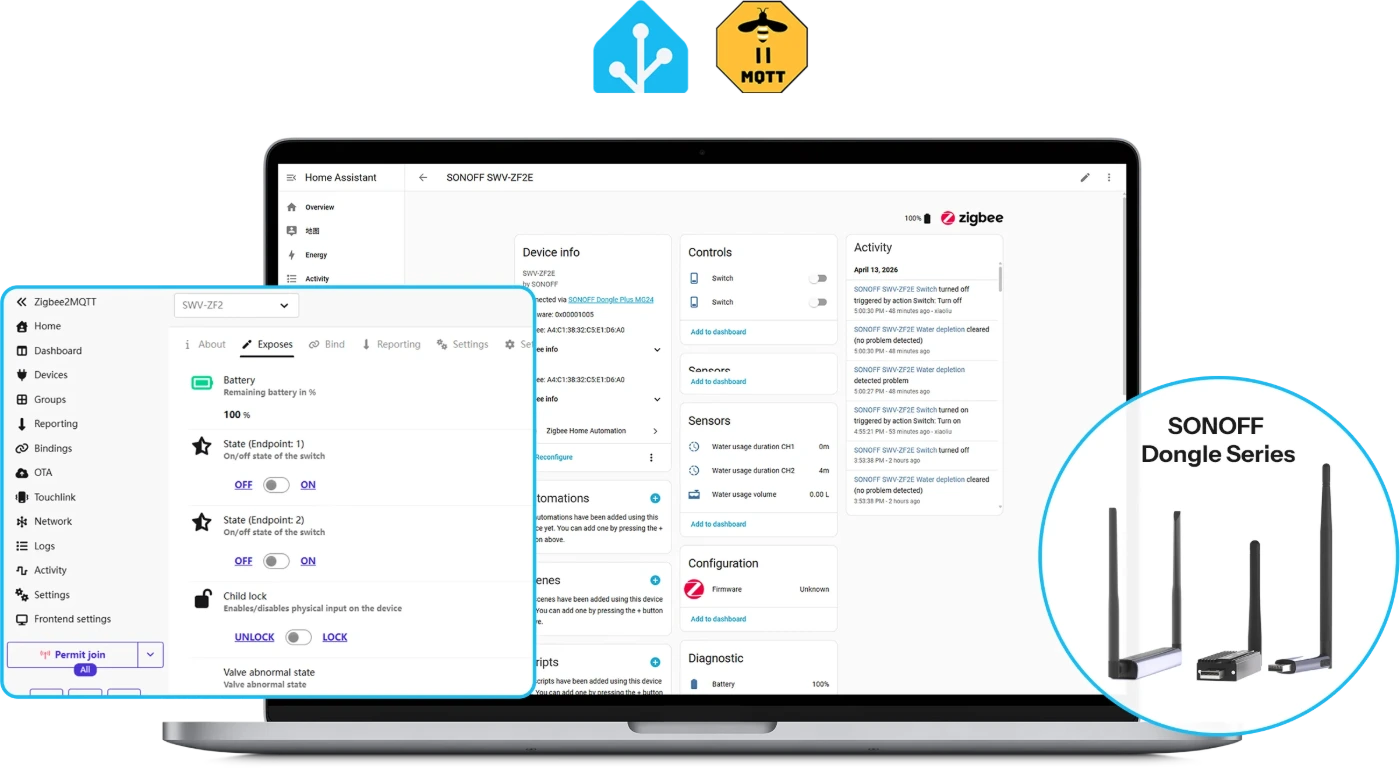
Easily Integrates with Open-Source Platforms
*Currently, using the Hydro One with ZHA requires the script. For detailed instructions, please refer to: https://help.sonoff.tech/docs/SWVZFU-SWVZFE
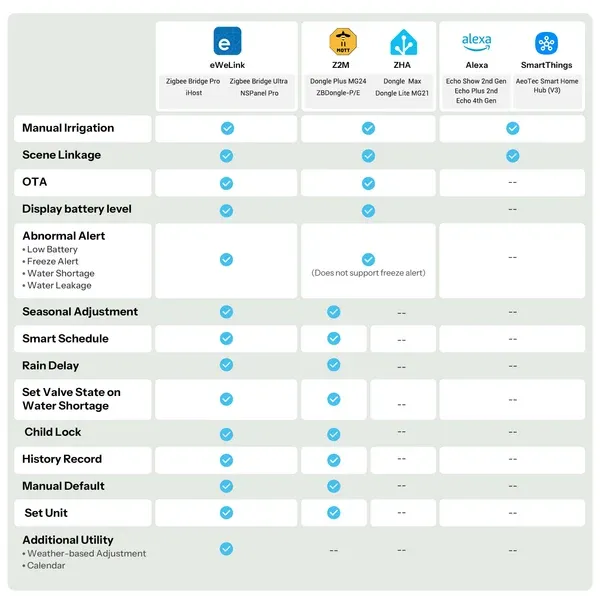
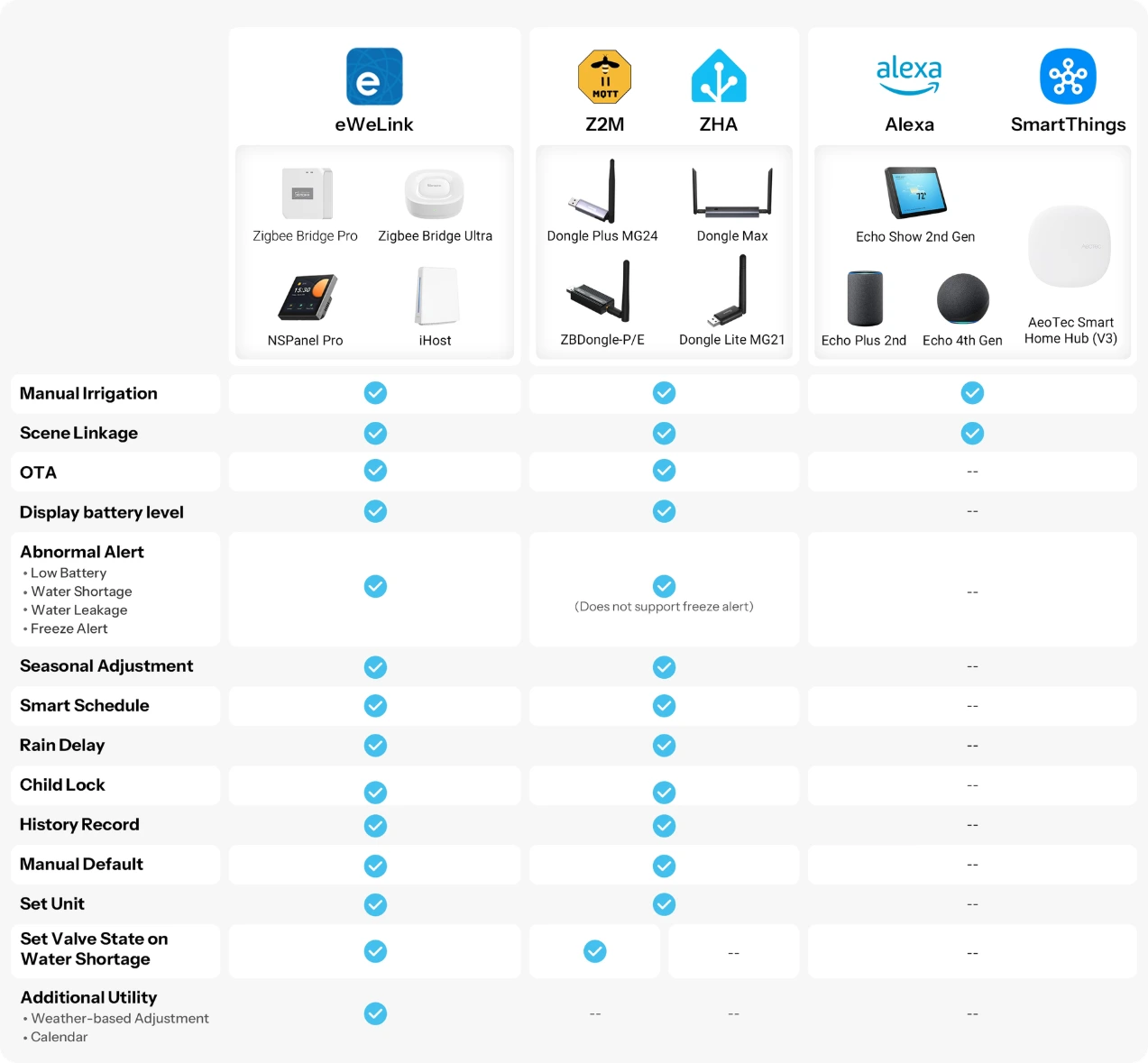
Zigbee Hub Compatibility
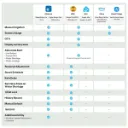
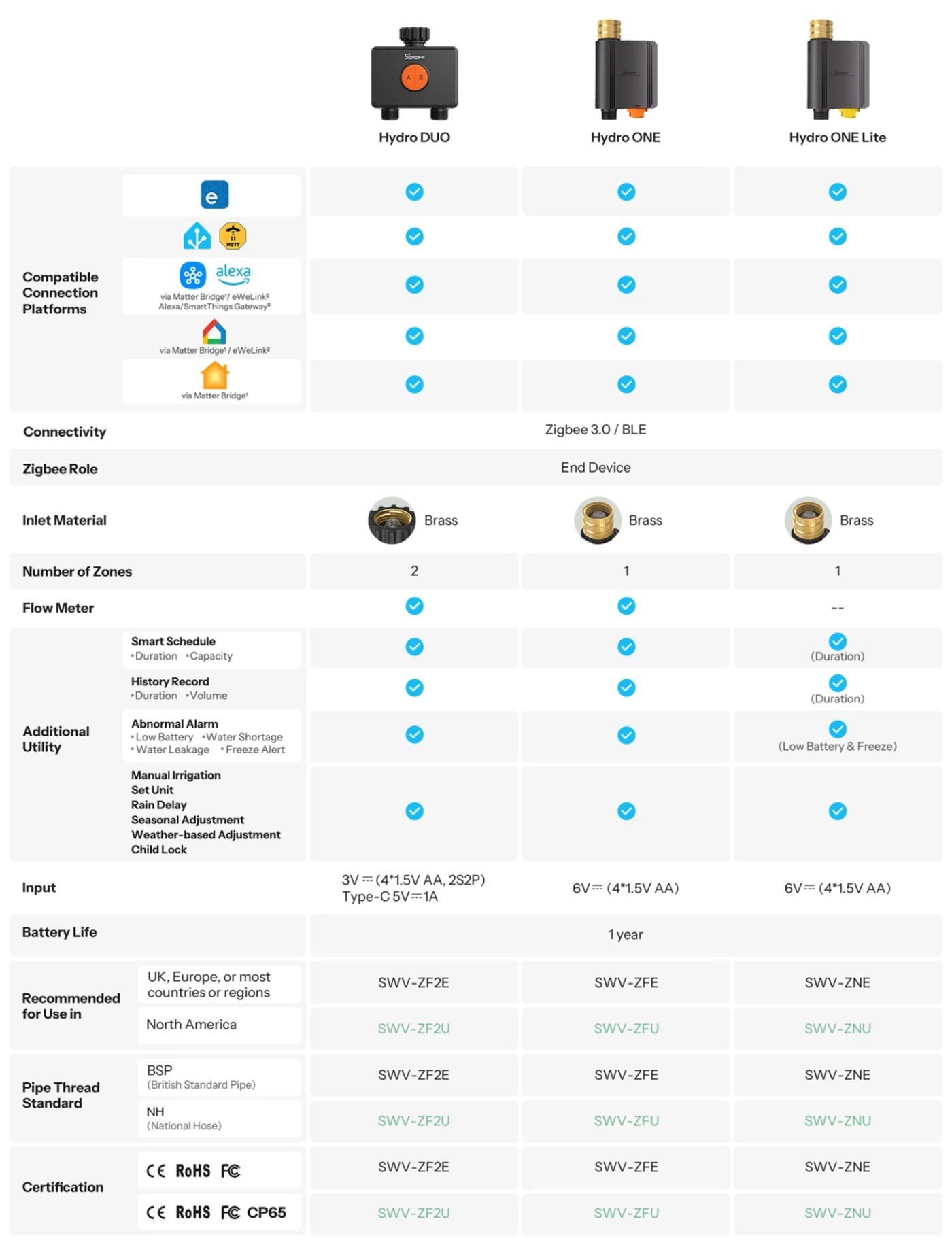
Choose Your SWV Smart Water Valve
Matter Bridge: ZBBridge-U, iHost, Cube OS with SONOFF Zigbee Dongle
This function requires adding the device to the eWeLink app via the SONOFF zigbee gateway and syncing it to third-party platforms through cloud-to-cloud integration.
Direct access to Alexa/SmartThings ecosystems via dedicated ecosystem gateways.
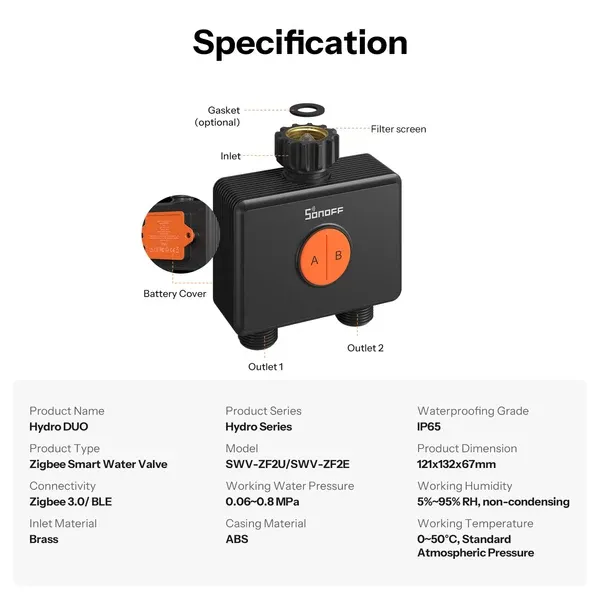
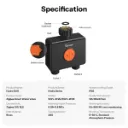
Specifications
What's in the box
Specs & User Manual
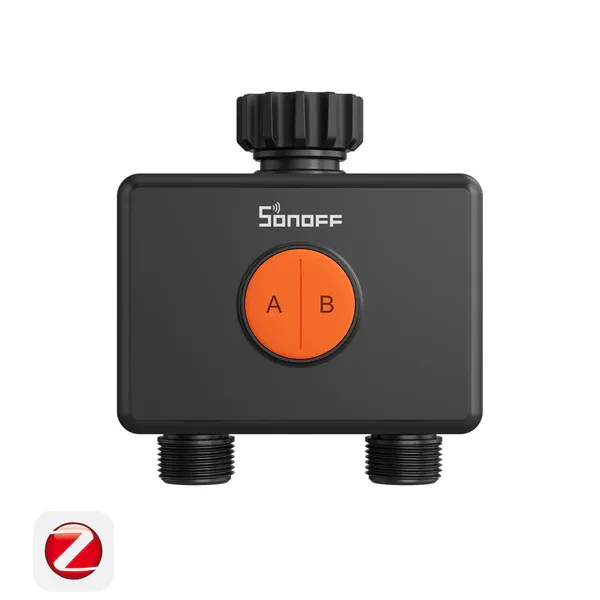
Hydro DUO is a dual-channel water valve designed for smarter and more precise irrigation. With Zigbee 3.0 and proximity communication, it offers flexible control with or without a gateway. Each channel supports independent watering plans, with up to six schedules per channel to meet different plant or zone needs. Rated IP65 for reliable outdoor protection, it supports both AA battery power and Type-C power supply for flexible installation. The durable brass inlet ensures a more reliable water connection, while the anti-slip texture allows for easier hand-tightening. It also features weather-based adjustments, seasonal optimization, low-battery and frost alerts, water shortage and leakage notifications, plus a child lock for safe and worry-free watering.
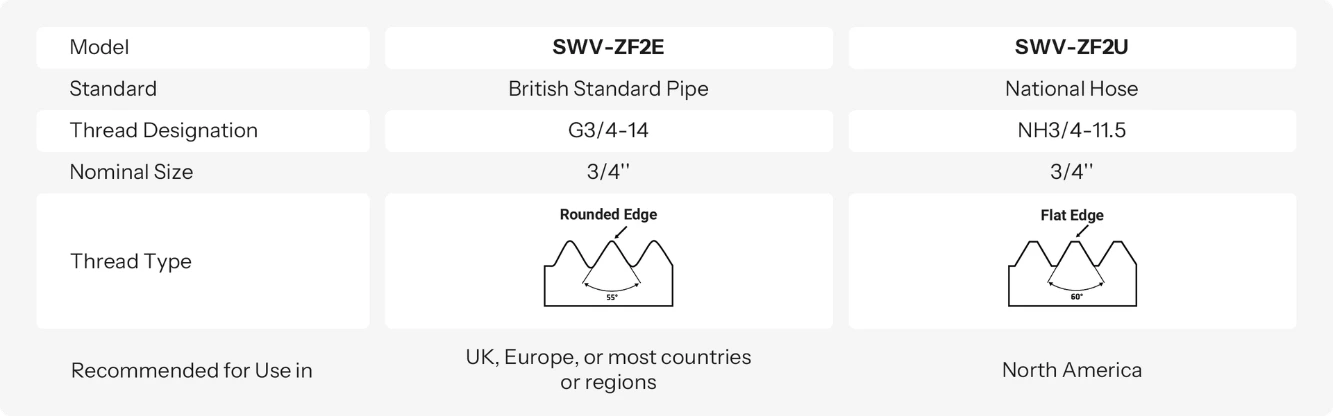
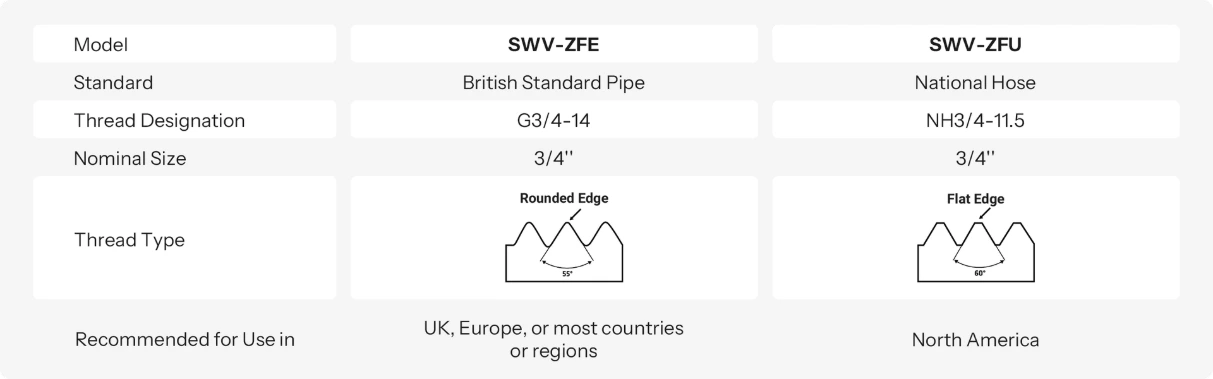
SWV-ZF2E and SWV-ZF2U are smart water valves designed for different regions. They offer the same features, but differ in their inlet and outlet thread specifications.
They are not interchangeable unless your piping system supports both standards.
SWV-ZF2E: Uses British Standard Pipe (BSP) thread, thread designation G3/4-14, with a 3/4" nominal size. Recommended for use in the UK, Europe, and most regions that adopt BSP standards.
SWV-ZF2U: Uses National Hose (NH) thread, thread designation NH3/4-11.5, with a 3/4" nominal size. Recommended for use in North America.
If the flow rate is below 5L/min, the device will detect it as a "No Water" condition and the valve can be set to automatically shut off after a specified duration.
If this happens frequently, try increasing the water flow.
The flow meter can detect the range of 2~45 L/min. Please keep the water flow rate within this range.
No. Hydro DUO automatically adjusts calculations based on actual flow rate, even under fluctuating water pressure, to ensure accurate irrigation volume tracking.
Yes. You can set the on/off status of the water valve after the device detects water shortage in the settings page.
Reverse installation is not supported. Do not install a faucet on the outlet. Please follow the installation guide and install in the correct direction.
Not recommended. Connecting to drinking water has strict safety requirements for valve materials. Hydro DUO is mainly designed for garden irrigation with tap water.
Yes, all set schedules are stored locally on the device.
Under normal use, the battery life is about 1 year
(test condition: 2 uses per day, 30 minutes each time).
However, if it is used continuously as a flow meter, the battery life will be significantly shortened, to about 1 month.
Note: Batteries are not included with Hydro DUO, so users need to prepare their own. Actual power consumption depends on the battery capacity and usage pattern.
If both channels are turned on at the same time, it will cause a drop in water pressure, leading to unstable water flow from the sprinkler, which affects the irrigation performance. Therefore, the product is designed not to allow simultaneous operation.
The current battery compartment uses a screw-lock design to ensure higher protection levels (waterproof and dustproof). Therefore, it is recommended to tighten the screws after installing the batteries.
The device is equipped with a Type-C port at the bottom, which serves two main purposes:
A. External power supply
The Type-C port can be used to power the device directly. When both external power and batteries are connected, the device will prioritize Type-C power.
B. Solar panel connection
A solar panel with a built-in battery can be connected to provide continuous power, reducing the frequency of battery replacement.
Note:
When using a Type-C cable, the device’s protection level depends on the cable used. It is recommended to use a silicone waterproof cable to ensure overall waterproof performance.
When powered via Type-C: voltage range is 4.5–5.5V, current greater than 0.4A. If using a solar panel, it must include a built-in battery.
By default, the indicator light does not illuminate while the device is operating to optimize power consumption. Continuous illumination would significantly increase battery usage and shorten battery life (designed for approximately 12 months). To ensure longer battery life, the indicator light is turned off during operation.
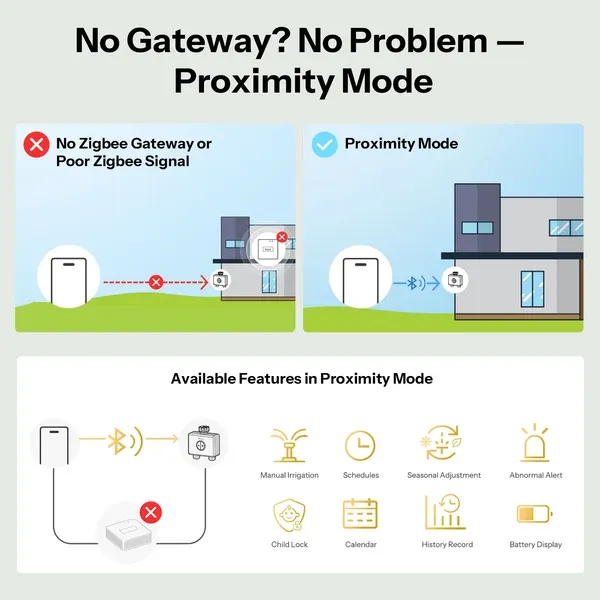
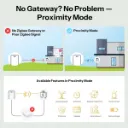
The dual-channel water valve is a dual-mode communication device, supporting Zigbee + proximity communication. Zigbee is used for daily operation, while proximity communication serves as a backup in case there is no gateway or the gateway is too far to maintain a stable connection.
Operating modes:
A. Proximity mode
If you do not have a Zigbee gateway, you can connect via proximity to set schedules and manually control the device.
B. When connected to a Zigbee gateway but the Zigbee connection is unstable:
When you open the device details page and the device detects an unstable or disconnected Zigbee connection, it will automatically switch to proximity connection.
If the Zigbee connection appears normal but a setting cannot be saved, you can click the proximity icon in the top-left corner to enter proximity connection mode. The device will connect successfully, allowing control via proximity. To exit proximity mode, click the back button to return to the main APP page; the proximity connection will disconnect. When you re-enter the device details page, the device will prioritize Zigbee connection.